On-Premise AI for Small Business: What Is Realistic
One workstation with a single high-memory graphics card can serve a 10 to 50 person office for document Q&A, drafting and classification. Here is where that setup holds up and where it falls short.
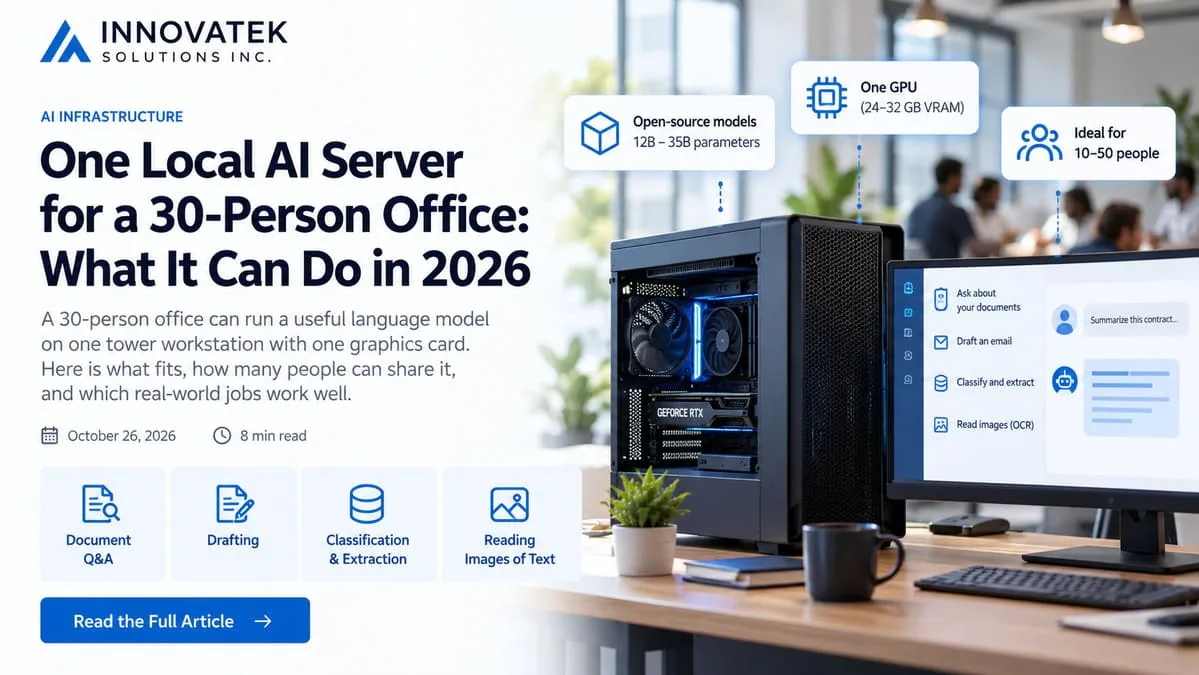
A 30-person office can run a useful language model on one tower workstation with one graphics card. That is the realistic shape of on-premise AI for small business in October 2026: a single machine in a closet or under a desk, an open-weight model in the 12 to 35 billion parameter range, and a short list of jobs it does well. It will not match the largest cloud models on the hardest problems, and it does not have to. Most office work that involves reading, sorting and drafting text sits well below that ceiling.
What one machine holds
Graphics card memory (VRAM) decides which models fit. The top consumer card in NVIDIA's current lineup, the GeForce RTX 5090, has 32 GB of it, draws up to 575 W and calls for a 1000 W system power supply according to NVIDIA's product page. The previous generation of high-end consumer cards stopped at 24 GB.
Now look at what current open-weight models weigh. In the Ollama model library in October 2026, the default downloads list at roughly these sizes:
| Model tag | Download size | Fits a 24 GB card | Fits a 32 GB card |
|---|---|---|---|
| gemma4:12b | about 8 GB | yes, with room | yes |
| gpt-oss:20b | 14 GB | yes | yes |
| qwen3.6:27b | 18 to 19 GB | tight | yes |
| gemma4:31b | 19 to 20 GB | tight | yes |
| qwen3.6:35b | 23 to 24 GB | no | tight |
| gpt-oss:120b | 65 GB | no | no |
The file size is only the start. The model also needs memory for the text it is reading, and that grows with the length of the context. Take a 19 GB model on a 32 GB card:
32 GB card - 19 GB weights = 13 GB left for context and overhead
24 GB card - 19 GB weights = 5 GB left for context and overhead
Thirteen spare gigabytes is comfortable. Five is not, once several people send long documents at the same time. The full arithmetic is in the guide to how much VRAM a model needs, but the short version for a small company is this: one card with 24 to 32 GB runs a model of roughly 20 to 30 billion parameters at the usual compressed (quantized) settings, and anything in the 100 billion class needs a different budget.
How many people can share it
Headcount is the wrong number. What matters is how many requests arrive at the same moment and how long each takes.
Spread over a working day, a 10 to 50 person office rarely keeps one card busy for most of its hours. The daily average hides the peaks, though. Requests cluster at 9:15 on Monday and after lunch, and a request that queues behind three others feels slow even when the daily total is modest. For a small office the number to estimate is how many people are likely to press enter in the same half minute, which is usually a handful, not the headcount.
Serving software adds its own limits. Ollama, a common starting point, processes one request per model at a time by default, and its FAQ notes that raising OLLAMA_NUM_PARALLEL multiplies the context memory by the number of parallel slots. Four slots at a 32,000-token context reserve memory for 128,000 tokens. That is how a model that "fits" stops fitting on a busy afternoon. The method for sizing this properly, from measured speed instead of guesses, is covered under how many users one GPU can serve.
A sensible expectation: one card supports an office of 10 to 50 people when AI is a tool people reach for several times a day. It does not support 50 people who each keep a long-running assistant working in the background all day.
Jobs that fit a single local model
The jobs that work share three traits. The input is text the company already holds, the output is checked by a person or by a simple rule, and each request is small enough to finish in seconds.
Document Q&A
Staff ask a question, the system finds the relevant passages in the company's own files, and the model answers from those passages with a reference to the source. The model does not need to know the answer. It needs to read a few pages accurately and say what they contain, and a mid-size model does that well. Most of the quality in this job comes from finding the right passages, not from model size.
Drafting
First drafts of client emails, meeting summaries, job descriptions, policy sections, responses to routine requests. A person edits every draft, so a slightly flatter style or an occasional awkward sentence costs a minute of editing, not a mistake sent to a customer. Drafting from the firm's own templates and past letters works better than drafting from a blank prompt.
Classification and extraction
Sorting incoming mail into categories, tagging support tickets, pulling the invoice number, date and total out of a document, flagging contracts that contain a particular clause. These are narrow tasks with a fixed set of acceptable outputs. Small models handle them, results can be validated automatically (is the date a date, is the category one of the twelve allowed), and the work can run overnight in bulk when nobody is waiting.
Reading images of text
Gemma 4 and Qwen 3.6 accept images as well as text, per their library listings; gpt-oss is listed as text only. That covers reading a label, describing a photo for a catalog entry, or transcribing a simple form. Dense scans and complex tables still deserve a dedicated extraction step with human review.
Jobs that do not fit
Some work belongs elsewhere. Forcing it onto one small machine produces a tool nobody trusts.
- Long multi-step reasoning. Planning a complex project, working through a novel legal or tax question with many interacting rules, or debugging across a large codebase. Frontier cloud models hold a clear lead here, and mid-size models lose the thread sooner.
- Very long inputs in one go. Library pages advertise context windows of 128,000 to 256,000 tokens, but memory sets the practical limit. Ollama's documented default is 32,000 tokens on a card with 24 to 48 GiB of memory, and 4,000 below that. At a rough 0.75 words per token, 32,000 tokens is about 24,000 words, near 48 pages at 500 words a page. A 300-page contract bundle has to be split or searched, not pasted in.
- Arithmetic and record-keeping. Totals, tax calculations and balances stay in accounting software and spreadsheets. A language model can describe a number; it should not be the system that computes it.
- Questions about current events. A local model knows nothing after its training date and has no web access unless someone builds it.
- Unsupervised decisions. Anything that sends money, deletes records or answers a customer without a person looking first.
- Heavy simultaneous load. A public-facing chatbot with unpredictable traffic needs capacity planning that a single card cannot give.
Quality compared with frontier cloud models
The gap is real, and it is uneven. On reading a five-page document and answering a factual question about it, summarizing a meeting, or picking a category, a well-chosen 27 to 31 billion parameter model produces output most staff would find hard to tell apart from a cloud model's. On open-ended analysis, subtle writing, and tasks with ten steps where each depends on the last, the difference shows quickly.
Three things narrow the gap in practice:
- Give the model the source text. Answers grounded in retrieved passages depend far less on what the model memorized.
- Keep tasks narrow. "Extract these six fields" beats "review this document".
- Test on real examples. Thirty actual questions from staff, scored by someone who knows the right answers, say more than any public leaderboard.
Published benchmark tables are a poor guide here. They measure general ability on standard tests, and vendors disagree with each other. The company's own documents are the only fair test.
A small firm does not have to choose one side. Many keep sensitive material on the local machine and send non-sensitive, harder work to a cloud model under a written rule, an arrangement described in the article on splitting work between local and cloud models.
A decision rule before buying
Write down the three tasks staff would use most. For each, answer two questions: does the input contain material that should not leave the building, and would a competent junior employee with the right documents in front of them get it right? Two yes answers mark a strong candidate for a local model. A task that needs a senior specialist's judgment is a weak candidate on any model, and a task with no sensitive input may be cheaper through an API at low volume.
Then test before spending. Open-weight models can be tried on a borrowed or existing machine for the price of an afternoon, and a structured 30-day private AI pilot with one narrow task and a success measure fixed in advance will show whether the single-machine setup carries the load.
Frequently asked questions
Does a small business need a server room for an on-premise AI machine?
No. A single-card workstation is a tower PC with a large power supply. It needs a normal office circuit with headroom, ventilation, and a place where fan noise under load will not bother anyone, such as a storage closet with airflow. Rack hardware and dedicated cooling come into play with multiple cards.
Who looks after the machine once it is installed?
Someone has to own it, even part-time. The routine work is operating system and driver updates, watching disk space and memory, backing up the document index, and testing a new model before swapping it in. A company with no IT person should budget for outside support.
Does a local model send anything to the internet?
Not by design. Ollama's FAQ states that prompts and data are not seen by the project when a model runs locally, and the machine can be firewalled or disconnected after the model files are downloaded. The same library also lists cloud-hosted tags, so staff should know which model names run on the local card and which do not.
Can the same machine be upgraded later?
Often, within limits. A second card adds memory if the case, power supply and motherboard were chosen with that in mind, and model files can be replaced at any time. Planning for one spare slot and a larger power supply at purchase costs little compared with replacing the whole system.
Ready to Modernize Your Business?
Get your AI automation roadmap in minutes, not months.
Analyze Your Workflows →