Power and Cooling for an On-Premise AI Server
Three formulas turn one wattage figure into a circuit requirement, a heat load and an electricity bill. Idle draw, load draw and the closet itself decide whether the numbers work.
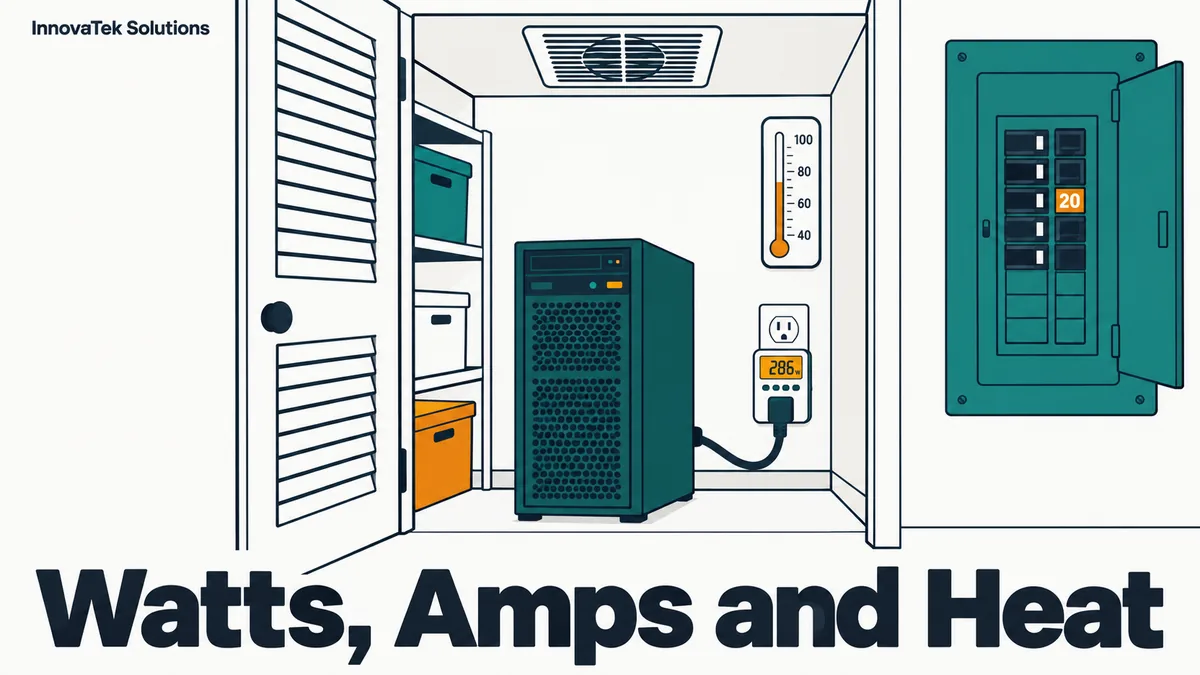
A GPU server that pulls 970 watts from the wall under load draws 970 / 120 = 8.1 amps on a US office circuit, puts out 970 x 3.412 = about 3,310 BTU of heat every hour, and costs roughly 14 cents for every hour it runs flat out at the average US commercial electricity rate. Those three numbers, amps, BTU per hour and dollars, all come from the same starting figure: AI server power consumption measured at the wall. Idle draw, which vendors rarely publish, decides most of the bill, and the closet decides whether the heat has anywhere to go.
Start with three wattage figures, not one
A single "this server uses X watts" figure hides three numbers, each driving a different decision.
- Load draw at the wall. What the machine pulls while the GPU is busy, including power supply losses. This sizes the circuit and the cooling.
- Idle draw at the wall. What it pulls with the model loaded and nobody asking questions. For an office server this is the state it spends most hours in, so it drives the electricity bill.
- Average draw. The time-weighted mix of the two, which is what the bill is actually calculated from.
The card's rating is only a component of the first. NVIDIA lists the RTX 5090 at 575 watts total graphics power and a 1,000 watt required system power, measured on a Ryzen 9 9950X system, per its product page. The page gives no idle figure, and vendors rarely do, which is why the section on measuring below matters.
To estimate load draw before the machine exists, add up the parts and divide by power supply efficiency:
wall watts = (GPU + CPU + everything else) / PSU efficiency
           = (575 + 200 + 100) / 0.90
           = 875 / 0.90 = about 970 W
The CPU and "everything else" figures and the 90 percent efficiency are assumptions for illustration; the same build is broken down part by part in building an AI server for a small office. Supply efficiency also drops at very light loads, one more reason to measure idle draw rather than derive it.
From watts to a circuit requirement
Current is power divided by voltage:
amps = watts / volts
The circuit side has one rule that catches people. The US National Electrical Code requires the breaker on a branch circuit to be rated for the noncontinuous load plus 125 percent of the continuous load, and a continuous load is one expected to run at maximum current for three hours or more. Since 1 / 1.25 = 0.8, that works out to the familiar practice of loading a breaker to no more than 80 percent for anything that runs for hours. An overnight batch job counts.
| Circuit | Breaker capacity | 80% continuous budget |
|---|---|---|
| 120 V, 15 A | 1,800 W | 12 A, 1,440 W |
| 120 V, 20 A | 2,400 W | 16 A, 1,920 W |
| 240 V, 20 A | 4,800 W | 16 A, 3,840 W |
Apply it to two illustrative builds:
- One 575 W card, 970 W at the wall. 970 / 120 = 8.1 A. On a 15 A circuit that leaves 12 - 8.1 = 3.9 A for everything else on the same breaker, including the monitor, the network switch and whatever is plugged in down the hall.
- Two 575 W cards plus 300 W for the rest of the system. (1,150 + 300) / 0.90 = about 1,610 W, or 1,610 / 120 = 13.4 A. That exceeds the 12 A budget of a 15 A circuit on its own. It fits a dedicated 20 A circuit with 2.6 A to spare, and on 240 V it draws only 1,610 / 240 = 6.7 A.
The second case is why multi-GPU setups often turn into an electrical job. Panel labels drift over the years, so switching the breaker off out of hours and noting what goes dark is the reliable way to see what shares it. A UPS sits in the load path too, so its own draw and its charging current count against the same budget. A licensed electrician should confirm the plan against the local code edition.
From watts to a heat load
Every watt the server draws ends up as heat in the room. The conversion comes from the US Energy Information Administration's figure that 1 kWh equals 3,412 Btu, so one watt running for an hour is 3.412 Btu:
heat (BTU/hr) = wall watts x 3.412
cooling (tons) = BTU/hr / 12,000
For the 970 W build, 970 x 3.412 = 3,310 BTU/hr, or 3,310 / 12,000 = about 0.28 tons of cooling. For the 1,610 W build, 1,610 x 3.412 = 5,493 BTU/hr, about 0.46 tons. A two-card server can take a large share of a small air conditioner's BTU/hr rating.
How much air a closet needs
If the closet is cooled only by moving air through it, the question becomes how many cubic feet per minute (CFM) carry the heat out. The standard sensible heat formula in imperial units is BTU/hr = 1.08 x CFM x temperature rise in degrees F, per the Engineering ToolBox. Rearranged, and folding in the 3.412 factor:
CFM = (watts x 3.412) / (1.08 x rise F) = 3.16 x watts / rise F
For the 970 W build:
- Holding the closet 10 F above the office: 3.16 x 970 / 10 = about 307 CFM.
- Allowing a 20 F rise: 3.16 x 970 / 20 = about 153 CFM.
Ducting, grilles and a closed door all cut real airflow below a fan's label figure.
How warm is too warm? ASHRAE's guidelines for data center equipment recommend server inlet air between 18 and 27 C (64.4 to 80.6 F), with a wider allowable range of 15 to 32 C (59 to 89.6 F) for its A1 class, as summarized by Upsite Technologies. A workstation is not data center gear, but the range is a useful target. An office at 75 F plus a 20 F rise puts the intake at 95 F, past even the allowable band. That is the closet where the GPU throttles every afternoon.
A closet with a solid door and no airflow behaves like a 970 W space heater in a cupboard. The usual fixes, cheapest first: a louvered or undercut door, a transfer grille to the ceiling space, an exhaust fan sized with the formula above, and only then a dedicated cooling unit.
From watts to an electricity bill
The bill depends on average draw, so idle matters. Take an illustrative office server that draws 970 W under load for 8 hours a day and an assumed 150 W idle for the other 16:
daily kWh = 0.97 kW x 8 h + 0.15 kW x 16 h = 7.76 + 2.40 = 10.16 kWh
yearly kWh = 10.16 x 365 = 3,708 kWh
The US Energy Information Administration put the average commercial price at 14.53 cents per kWh in July 2026 (residential was 18.31 cents, relevant for a home office):
3,708 kWh x $0.1453 = about $539 per year
The idle hours alone are 2.40 x 365 = 876 kWh, about $127 a year, for a machine doing nothing. Change the profile to an overnight batch workload that keeps the GPU busy around the clock and the figure becomes 0.97 x 24 x 365 = 8,497 kWh, about $1,235 a year. If an air conditioner removes the heat, it adds its own electricity on top; dividing the server's kWh by the unit's efficiency ratio gives a first estimate. The total cost of ownership budget folds this into the other running costs.
Use the local tariff; rates vary by state and contract.
Measuring idle and load draw yourself
Estimates are a starting point. Two measurements replace them.
- At the wall. A plug-in power meter between the outlet and the server, or the load display on a UPS, shows total draw. Record it at idle with the model loaded, then during a sustained job of at least several minutes so temperatures and fan speeds settle.
- At the GPU.
nvidia-smi --query-gpu=power.draw --format=csv -l 5prints the card's reported draw every 5 seconds. Runnvidia-smi --help-query-gputo see which power fields the installed driver supports. The difference between the wall figure and the GPU figure is the rest of the system plus supply losses.
If the numbers come out too high for the circuit or the closet, the card's ceiling can be lowered. The nvidia-smi documentation describes -pl (--power-limit) as setting the maximum power limit in watts, and it requires root. A capped card draws less and runs cooler at some cost in speed. How much depends on the workload, so measure it with a repeatable tokens-per-second benchmark before and after, and check whether the setting survives a reboot on the system in question.
What a closet needs before the server goes in
Check each item with measured numbers:
- A circuit with room. Measured load amps plus everything else on that breaker stays under 80 percent of its rating. If not, a dedicated circuit comes first.
- A way out for the heat. Either enough airflow for the CFM figure above at an acceptable temperature rise, or cooling capacity in BTU/hr above the server's heat output.
- A thermometer at the intake. A cheap logging sensor at the front of the case, checked during the first long batch job.
- Clearance and clean air. Space behind the exhaust, the machine off the carpet, and dust filters on a cleaning schedule.
- Room on the UPS. Its watt rating, not its VA rating, above the measured wall draw.
The decision rule is simple: if the measured load draw fits the circuit and the closet can shed 3.412 BTU/hr for every watt of it, the server can go in. If either fails, fix the room before buying more hardware.
Frequently asked questions
Does a power supply's wattage rating tell me what the server will draw?
No. The rating is the maximum the supply can deliver. A 1,600 W supply in a system that needs 600 W at load draws about 600 W plus its own losses. Size the circuit and the bill from wall draw.
Is 240 volts more efficient than 120 volts for an AI server?
It halves the current for the same wattage, which is what matters for the circuit and the wiring. The energy the GPU uses is the same either way, so any effect on the bill comes only from small differences in power supply efficiency, which the supply's data sheet lists by input voltage. The bigger benefit is fitting a multi-GPU machine on one circuit.
Does a UPS add to the power bill?
Yes, a little. A UPS consumes some power itself to keep its batteries charged and, in an online double-conversion design, to run every watt through its inverter. Its data sheet lists efficiency by load; dividing the server's yearly kWh by that figure gives the total drawn from the wall, and the difference also ends up as heat in the closet.
Can the GPU's temperature be watched remotely?
Yes. The same nvidia-smi tool reports temperature and power, and most monitoring stacks can collect both on a schedule and alert on thresholds. Logging temperature, power and throttling over time also shows when a dust filter needs cleaning, because temperatures creep up at the same load.
Ready to Modernize Your Business?
Get your AI automation roadmap in minutes, not months.
Analyze Your Workflows →