Sharing One GPU Between Several AI Applications
Four AI services can share one 24 GB card if the memory budget is written down first. How to budget VRAM, schedule model loads, choose between time-slicing and MIG, and spot when a second GPU is cheaper.
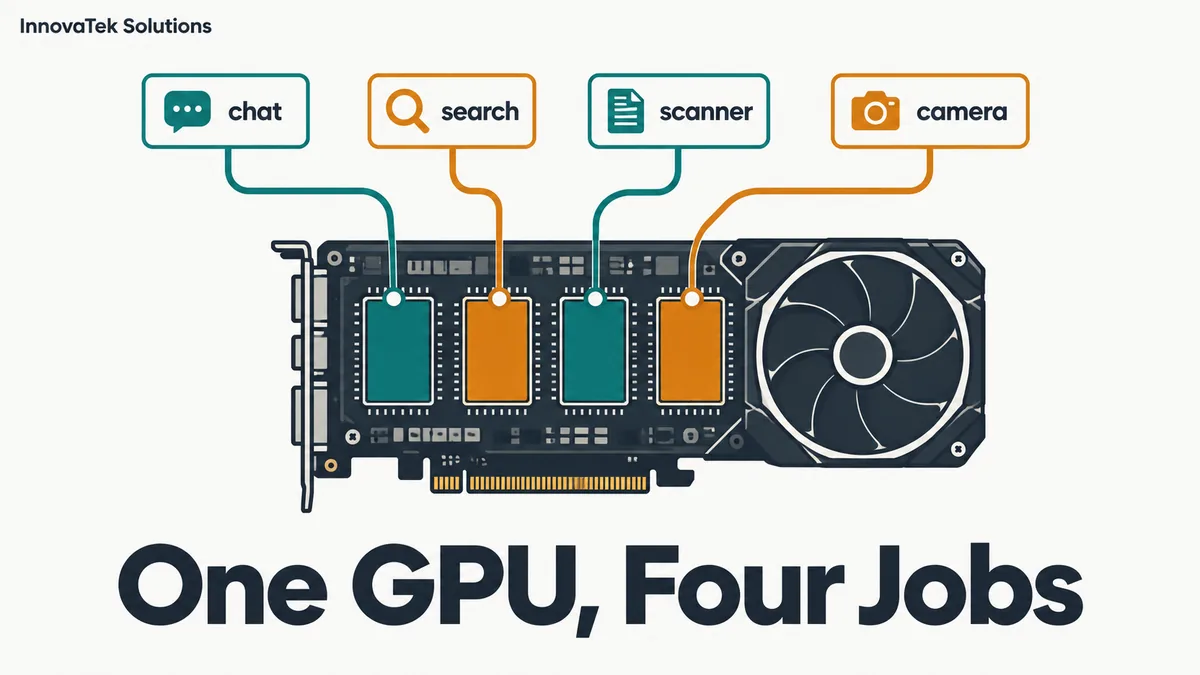
A 24 GB card can hold a 14B chat model, an embedding model, an OCR engine and a small vision model at the same time, with about 1 GB to spare. That margin is thin enough that the first long document, the first extra user or the first software update tips it over. To share a GPU between applications, the job is less about clever scheduling and more about bookkeeping: write down what each process claims, decide which ones stay resident, and know what the card does when two of them want it at once.
The examples assume one NVIDIA card with each service as its own process. The figures are illustrative.
Start with a written VRAM budget
Every process on the GPU claims memory for three things: model weights, working memory that grows with input (the KV cache for a language model, image batches for a vision model), and a fixed runtime overhead for the CUDA context and libraries. The weights and cache arithmetic is covered in how much VRAM a model needs; here it is applied to four tenants on one card.
Take a 24 GB card and four services:
| Service | Weights | Working memory | Budget |
|---|---|---|---|
| Chat LLM, 14B at Q4_K_M | 14 x 0.61 = 8.5 GB | KV cache, 16,384 tokens: 3.2 GB | 11.7 GB |
| Embedding model, about 0.6B at F16 | 0.6 x 2 = 1.2 GB | Batch of passages: 0.8 GB | 2.0 GB |
| OCR engine on GPU | measured | measured | 2.0 GB |
| Vision-language model, 7B at Q4_K_M | 7 x 0.61 = 4.3 GB | Image encoder and cache: 1.7 GB | 6.0 GB |
| Runtime overhead, 4 processes | about 0.4 GB each | 1.6 GB | |
| Total | 23.3 GB |
The KV cache line comes from the usual formula for a model with 48 layers, 8 key-value heads of size 128, and a 16-bit cache: 2 x 48 x 8 x 128 x 2 bytes = 196,608 bytes per token, times 16,384 tokens = 3.2 GB. Swap in the numbers from your own model's config file.
The OCR and overhead lines are placeholders. Published memory figures for OCR engines vary widely, so start the service alone, push a realistic batch through it, and read the peak from nvidia-smi. Measured peaks beat model card sizes.
The result: 23.3 GB of 24 GB used, 0.7 GB free. Raising the chat context to 32,768 tokens adds another 3.2 GB and breaks the plan. So does a second parallel chat slot.
Make each runtime respect its line
A budget only works if every process stays inside its line, and most runtimes try to take more than they need.
- vLLM pre-allocates a fraction of the card. Its
gpu_memory_utilizationsetting defaults to 0.92 in the current source, and the docstring says it is a per-instance limit that ignores any other vLLM instance on the same GPU. Its own example: two instances on one card should each be set to 0.5. With other tenants present, set it to your budget line divided by total memory, for example 11.7 / 24 = 0.49. A separatekv_cache_memory_bytessetting fixes the cache size directly and overrides the fraction. - Ollama loads models on demand and keeps several resident if they fit. Its FAQ gives the default cap
OLLAMA_MAX_LOADED_MODELSas 3 times the number of GPUs. It does not know about memory that other programs will claim later, so it can fill free VRAM that the vision service was counting on.
Resident, on demand, or scheduled
Not every model needs to be loaded all day.
Always resident. Services where a user is waiting: the chat model and the embedding model that answers search queries. A cold load of several gigabytes from disk adds seconds to the first request, which staff notice.
Loaded on demand. Services used a few times a day, where a delay of seconds is acceptable: a vision model that describes an occasional uploaded photo. In Ollama, a request with keep_alive set to 0 unloads the model right after it answers, and ollama stop <model> does the same from the command line. The Ollama settings for a shared office server cover the server-wide keep-alive default.
Scheduled. Bulk jobs that can wait for the evening: re-OCR of a scanned archive, re-embedding every document after a model change. These can borrow the chat model's memory overnight if the chat model is unloaded at 7 pm and reloaded at 7 am.
Moving the vision model from resident to on demand frees 6.0 GB in the example, taking free memory from 0.7 GB to 6.7 GB. That is enough to double the chat context or add a second chat slot. The cost is a load delay on each vision request, plus a failure mode to plan for: if the chat model has grown into the freed space in the meantime, the vision model may not fit when it is called. Reserve its 6.0 GB by capping the other services, rather than hoping it stays free.
Loading time is the hidden tax
Swapping models in and out works until it happens all the time. Measure it: time a request that forces a cold load, then the same request warm. Suppose the difference is 15 seconds and the office triggers 40 swaps a day. That is 40 x 15 = 600 seconds, 10 minutes of waiting spread across staff, every day. Over 220 working days it comes to about 37 hours. That is the number to compare with the price of more memory.
How the card shares compute: time-slicing and MIG
Memory is split by budgeting. Compute is split by the GPU itself, in one of two ways.
Time-slicing, the default
When several processes use one NVIDIA GPU without special setup, they take turns. The card switches between contexts, so a long OCR batch and a chat request run interleaved, and each runs slower than it would alone. The Kubernetes GPU Operator offers time-slicing as a formal feature that advertises one card as several replicas, and its documentation states the limit plainly: "there is no memory or fault-isolation between replicas."
So a process that overruns its budget can crash a neighbor with an out-of-memory error, and a heavy batch job slows interactive users. The usual remedy is scheduling: run bulk work when nobody is chatting.
MIG, on the cards that have it
Multi-Instance GPU splits a card into separate instances, each with its own memory and compute, and NVIDIA's documentation describes the split as giving memory and fault isolation at the hardware level. A misbehaving tenant cannot take another tenant's memory.
The catch is hardware support. NVIDIA's supported-GPU list, checked in October 2026, includes data center cards such as the A100, A30, H100, H200, B200 and GB200, plus some RTX PRO Blackwell cards. The RTX PRO 6000 Blackwell editions (96 GB) allow up to 4 instances, the RTX PRO 5000 Blackwell (48 GB) and RTX PRO 4500 Blackwell (32 GB) up to 2, and the A100, H100, H200 and B200 up to 7, while the 24 GB A30 stops at 4. No GeForce card appears on the list, so the consumer cards most small offices buy cannot use MIG.
MIG also changes how memory gets split. Instances come in fixed profiles, not arbitrary sizes. On an A100 40GB, nvidia-smi mig -lgip lists profiles such as 1g.5gb (up to 7 of them), 2g.10gb (up to 3) and 3g.20gb (up to 2). An 11.7 GB chat budget does not fit a 10 GB slice, so it takes a 20 GB slice and wastes the difference. Enabling MIG mode on Ampere cards makes the driver attempt a GPU reset, which fails while another process holds the GPU. The mode itself survives a reboot, but the instances do not and must be recreated each time. Those steps belong in the server's startup scripts.
| Time-slicing | MIG | |
|---|---|---|
| Hardware | Any NVIDIA GPU | Listed data center and RTX PRO Blackwell cards |
| Memory isolation | None | Yes, per instance |
| Partition sizes | Whatever processes allocate | Fixed profiles |
| Idle capacity | Shared by whoever is busy | Stays with its instance |
| Setup | None | Enable mode, create instances, persist across reboots |
For a small office on one consumer card, time-slicing plus a written budget is the realistic choice. MIG earns its setup work when tenants belong to different teams or customers and one must never starve another.
When a second GPU is cheaper than contention
Sharing has a running cost that no invoice shows. Watch for four signs:
- Out-of-memory errors in any service log, or a model that falls back to the CPU.
- Chat latency that tracks batch jobs. If time to first token doubles whenever the OCR queue runs, compute contention is reaching users.
- A context or concurrency setting held down by the budget, when users need longer documents or more simultaneous answers.
- Load delays that add up, as in the 37 hours a year from the earlier example.
Put a figure on the waiting, then compare. If 37 hours a year of staff time costs more than a second card plus its power, the card is cheaper. A second card also changes the design. The chat model gets a card to itself, and the embedding, OCR and vision services share the other one, where a slowdown bothers nobody in real time. The trade-offs of adding a card, from slots and power to splitting one model across two, are in multi-GPU setups.
Before buying, check the cheaper fixes in order: move a rarely used model to on-demand loading, run bulk jobs outside working hours, quantize the KV cache, or pick a smaller vision model. If the budget still does not close, the second GPU is the honest answer.
Frequently asked questions
Do containers make GPU sharing safer?
Containers isolate files and processes, not GPU memory. Two containers given the same card compete for VRAM exactly as two ordinary processes would. The memory limit has to be set inside each runtime, or enforced with MIG on hardware that supports it.
How much free VRAM should be left as headroom?
There is no published rule, but the peak matters more than the average. Measure each service at its worst realistic input, such as the longest document or largest image batch, and keep at least the size of the largest single spike free. On the example card, 0.7 GB of headroom is too little.
Can two copies of the same LLM server run on one card?
Yes, if each is told its share. vLLM's own documentation gives the example of two instances on one GPU, each set to a memory fraction of 0.5. That only makes sense when the two serve different models; two copies of the same model waste memory on duplicate weights that one instance with more parallel slots would share.
Ready to Modernize Your Business?
Get your AI automation roadmap in minutes, not months.
Analyze Your Workflows →