OpenAI-Compatible APIs: Swapping a Cloud Model for a Local One
Ollama, vLLM and llama.cpp all expose OpenAI-style endpoints, so an existing integration can often be repointed in one line. The plain chat path carries over; tool calling, JSON output and token limits need checking.
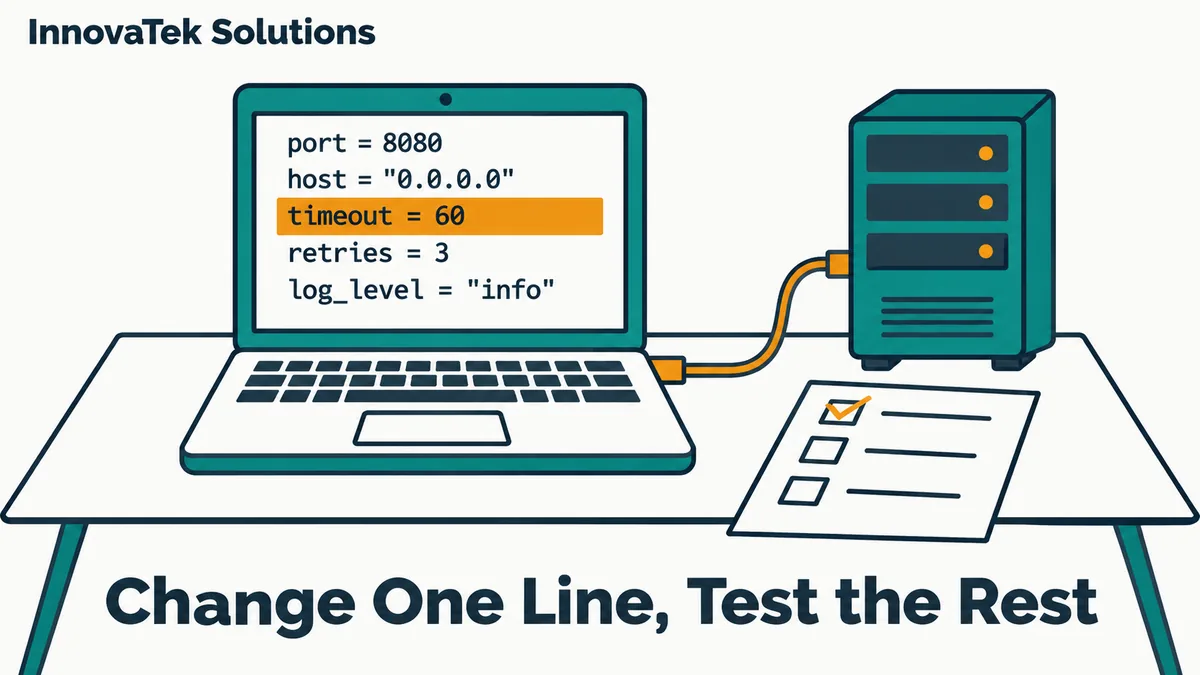
An application written against the OpenAI Python SDK sends its requests to whatever base_url the client is given, or to the OPENAI_BASE_URL environment variable if that is set. Point it at http://localhost:11434/v1 and the same code now talks to Ollama on the same machine. Point it at http://localhost:8000/v1 and it talks to vLLM. That is the whole idea of an OpenAI compatible API for a local LLM: the runtime accepts the same JSON request shapes on the same paths, so the integration does not need a rewrite. For plain chat, the swap is one line. For tool calling, structured output or token limits, it is one line plus an afternoon of testing.
What "OpenAI-compatible" actually means
The phrase describes the wire format, not a certified standard. A compatible server accepts a POST to /v1/chat/completions with a model name and a messages array, and replies with a choices array holding the answer, in the same JSON layout the OpenAI API uses. Streaming uses the same server-sent events format.
How far the compatibility goes is up to each project, and they say so plainly. The llama.cpp server README states that "no strong claims of compatibility with OpenAI API spec" are made, while noting that it is enough for many apps. The endpoints each runtime documents, as of October 2026:
| Runtime | Default base URL in docs | Chat | Completions | Embeddings | Responses |
|---|---|---|---|---|---|
| Ollama | http://localhost:11434/v1 |
yes | yes | yes | yes, stateless only |
| vLLM | http://localhost:8000/v1 |
yes, needs a chat template | yes | yes, embedding models | yes |
| llama.cpp server | set with --host and --port |
yes | yes | yes | yes |
Server-side setup, such as which flags to pass, is covered in the llama.cpp server guide; this article stays on the client side.
The part that carries over cleanly
A basic chat call works with minimal changes. Here is the diff for a Python service:
from openai import OpenAI

client = OpenAI(
    base_url="http://ai-server.internal:11434/v1",
    api_key="unused-locally",
)
reply = client.chat.completions.create(
    model="qwen-office",
    messages=[{"role": "user", "content": "Summarize this memo."}],
)
Three things changed.
The API key. The SDK expects a key, so pass one. Ollama's documentation says the local server ignores it and suggests a placeholder. vLLM checks the key only if started with --api-key (or the VLLM_API_KEY variable), and its docs warn not to rely on that key alone to secure the server. A local endpoint with no real authentication is a network exposure problem, covered in securing a local LLM server.
The model name. Cloud code often hardcodes a name like a current GPT model. A local server will not recognize it. Ollama expects the name of a model it has pulled or created, vLLM expects the name it was started with, and llama.cpp's --alias sets the name it reports. Choose a stable, neutral alias such as qwen-office and keep the actual model file behind it, so swapping models later does not mean editing application config.
Messages, streaming, temperature, stop sequences. These carry over on all three runtimes. Ollama's compatibility page lists messages, stream, stream_options with include_usage, temperature, top_p, stop, seed, max_tokens, frequency_penalty and presence_penalty as supported.
Sampling defaults are a quieter difference. vLLM applies the model publisher's generation_config.json by default, so a request that omits temperature may behave differently from the same request sent to the cloud. If output quality matters, set sampling parameters explicitly in every request instead of inheriting someone's default.
Tool calling: same request, different reliability
The request format for tools is the same JSON schema everywhere: a tools array of function definitions, and a response containing tool_calls. Whether the server returns well-formed calls depends on the runtime configuration and, more than anything, on the model.
- Ollama lists
toolsas supported andtool_choiceas not supported. Code that forces a specific function withtool_choicewill not get that guarantee; the model decides on its own. - vLLM needs to be started with
--enable-auto-tool-choiceand a--tool-call-parserthat matches the model family for automatic tool calls. It supportstool_choice="required"and named functions by default. Its docs are candid that a validly parsable call is not the same as a good one, that smaller Llama models often fail to emit calls in the right format, and that withtool_choice="auto"arguments may occasionally be malformed or violate the schema (vLLM tool calling docs). - llama.cpp supports OpenAI-style function calling with the
--jinjaflag, which uses the model's own chat template, and some models need a--chat-template-fileoverride to get it right.
The practical consequence: an agent that worked against a frontier cloud model can break against a 7B local model even though every request is accepted. Validate every tool call's arguments against the schema in your own code before acting on it, handle the case where the model answers in prose instead of calling a tool, and test with the exact model you will deploy.
JSON output: modes and schemas
There are two levels of structured output in the OpenAI format. response_format: {"type": "json_object"} asks for valid JSON of any shape. response_format: {"type": "json_schema", ...} asks for JSON matching a given schema.
Local runtimes often enforce these more strictly than prompting alone, because they can constrain which tokens the model is allowed to produce. The llama.cpp README documents both plain JSON and schema-constrained JSON through response_format. Ollama's structured output page says structured outputs work through the compatible API via response_format, though its examples use the native API. vLLM exposes its own structured_outputs options as extra parameters, passed through the SDK's extra_body argument.
Two cautions. First, schema support differs in the details: unusual keywords, recursive schemas or very large enums may be accepted by one runtime and ignored or rejected by another. Test your real schema. Second, valid JSON is not correct JSON. A constrained model will always produce a total field when the schema says so; it will not always produce the right number. Keep the validation step that checks values, not only shape.
Token limits: where silent failures live
Context length is set on the server, not in the request
The OpenAI API has no field for context size, because a cloud model's window is fixed and usually large. Code written against it rarely trims anything, since it never had to. Locally, the window is a server setting, and Ollama's default on a card under 24 GiB is 4k tokens. Why an oversized request can still come back as a fluent answer built from part of the input is explained in why long documents break local LLMs.
For the swap, the fix belongs on the server, because the request cannot carry it. Ollama's compatibility page says plainly that the OpenAI API offers no way to set context size, and gives a workaround: write a Modelfile with FROM <model> and PARAMETER num_ctx <size>, run ollama create, and send the new model name in the request. That fits the alias habit above. A model called qwen-office can carry its context setting with it, so the application config never mentions a number. The server-wide alternative is the OLLAMA_CONTEXT_LENGTH variable. On vLLM and llama.cpp the window is likewise fixed when the server starts. Whichever route, test with the longest real input a user is likely to send.
max_tokens versus max_completion_tokens
OpenAI introduced max_completion_tokens for its reasoning models, because hidden reasoning tokens meant generated tokens and returned tokens were no longer the same count. Newer client code may send only that field. Ollama's compatibility page lists max_tokens and does not mention max_completion_tokens, so a limit set that way may simply be ignored. Check which field your code sends, and confirm the server honors it by asking for a long answer with a small cap.
Token counts do not match
Every model has its own tokenizer. Code that counts tokens with OpenAI's tokenizer to trim history or estimate cost will be off by a varying margin against a local model. Where the count matters, use the server's own count: the usage block in responses, or a tokenize endpoint where the runtime offers one (vLLM and the llama.cpp server both document /tokenize).
Smaller gaps worth a test
- Images. Ollama accepts base64-encoded images but not image URLs. Code that passes a link to an image has to download and encode it first.
- Unsupported fields. Ollama does not support
n(several answers per request),logit_bias,useror logprobs. vLLM ignoresuser. Features built on log probabilities, such as confidence scores, need a different design or a runtime that supports them. - Embeddings. The endpoint is compatible, the vectors are not. A different embedding model produces vectors of a different size and meaning, so an existing vector index must be rebuilt from scratch, not mixed. Choosing a replacement is the subject of local embedding models.
- Errors and timeouts. The SDK retries some errors twice by default and times out after 10 minutes. A busy local server usually queues requests rather than returning rate-limit errors the way a cloud API does, so latency is the first symptom to watch.
A sensible order for the swap: point a staging copy of the application at the local server, run the plain chat path, then run every tool-calling and JSON path with real inputs, then send the longest document a user is likely to submit. If all three pass with the model you plan to deploy, change the base URL in production.
Frequently asked questions
Is the OpenAI SDK required to talk to a local model?
No. The compatible endpoints are plain HTTP with JSON bodies, so any HTTP client works, and so do most third-party SDKs and frameworks that let you set a base URL.
Can one application use a cloud model and a local model at the same time?
Yes. Create two clients with different base URLs and choose per request. That is the basis of a routing setup where sensitive data stays on the local model, but the routing rule has to live in your code or a gateway, not in the API format.
Does the Responses API work locally too?
Partly. Ollama, vLLM and llama.cpp all document a /v1/responses route, but Ollama describes its version as stateless only, so features that depend on the server storing earlier turns will not behave as they do in the cloud. Chat completions remains the most widely supported path.
Will a prompt tuned for a cloud model work the same locally?
Rarely without adjustment. The request is accepted unchanged, but a smaller local model follows long, layered instructions less reliably. Expect to shorten prompts, add an example of the desired output, and rerun your test cases after the swap.
Ready to Modernize Your Business?
Get your AI automation roadmap in minutes, not months.
Analyze Your Workflows →