Chunking Documents for RAG: Sizes, Overlap and Structure
Splitting documents by their own structure instead of a character count, keeping tables whole, sizing overlap with arithmetic, and diagnosing chunking failures from real questions.
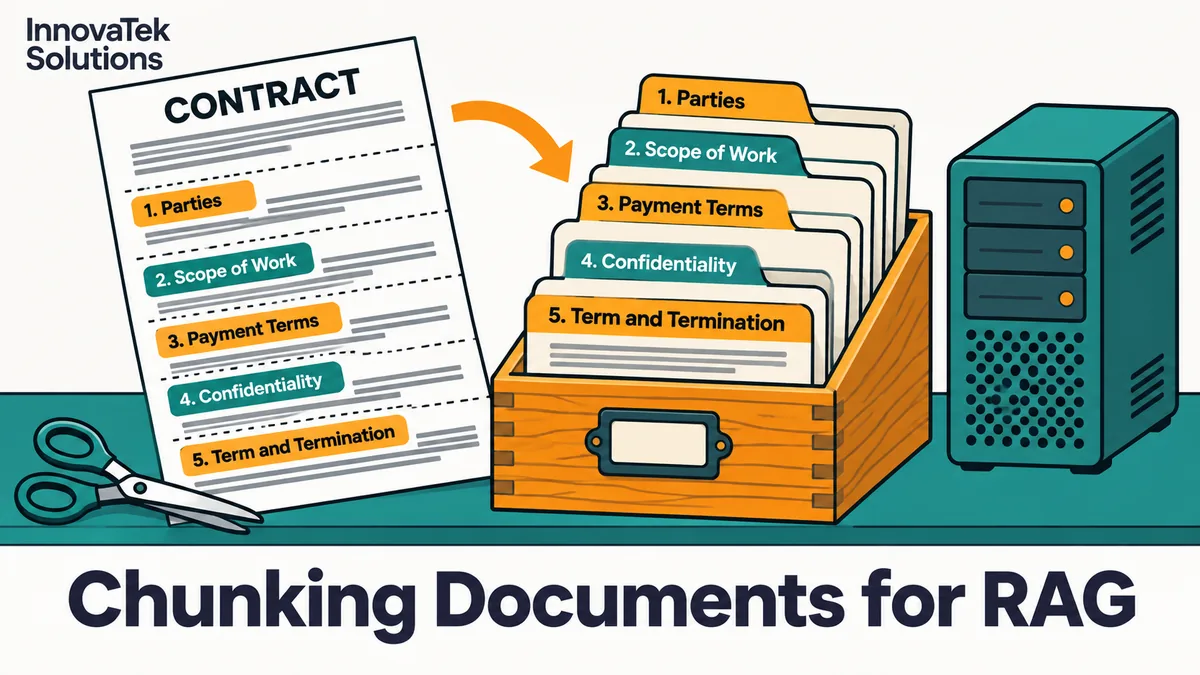
A popular open-source text splitter, LangChain's base TextSplitter, defaults to a chunk size of 4,000 and an overlap of 200, measured with Python's len, which counts characters. At roughly 6 characters per English word including spaces, that is about 4,000 / 6 = 667 words per chunk, or around 890 tokens at 0.75 words per token. That number knows nothing about where a clause ends or a table begins, and document chunking for RAG is the step that decides whether those boundaries survive.
The overall pipeline (ingest, embed, store, retrieve, answer) is covered in private RAG over internal documents. This article stays on one question: where to cut.
Why character counts cut in the wrong places
A fixed-size splitter cuts wherever the counter runs out: halfway through a sentence, between a heading and its first paragraph, or across the middle of a table row.
Consider a services agreement with a clause like this:
- 14.2 Termination for convenience. Either party may terminate on 90 days' written notice, except during the first contract year, when the notice period is 180 days.
If a cut falls after "90 days' written notice", one chunk says the notice period is 90 days and the next chunk starts with "except during the first contract year". A question about the notice period in year one retrieves the first chunk, which looks complete and is wrong. The model answers "90 days" with a citation that checks out, so the error survives a casual review.
LangChain's RecursiveCharacterTextSplitter softens this by trying separators in order: "\n\n", then "\n", then a space, then the empty string. It prefers paragraph breaks and only falls back to smaller units when a paragraph is too long. That helps with prose. It still has no idea that "14.2" is a clause number or that a line of pipes is a table.
Splitting by document structure
Most business documents already carry their own segmentation: headings, numbered clauses, sections, table boundaries, slide breaks, email messages in a thread. A structure-aware chunker uses those as the primary cut points and only falls back to size limits when a single section is too long.
Headings and sections
Two common open-source tools show the idea:
- LangChain's
MarkdownHeaderTextSplittertakes a list of heading levels to split on and attaches the active heading text to each chunk as metadata. A heading stays active until one of the same or higher level replaces it. - Unstructured's
by_titlechunking strategy closes the current chunk whenever a newTitleelement appears, even if the title would still fit. Its default hard maximum is 500 characters (max_characters). One exception to clean section boundaries: consecutive small sections are merged up tocombine_text_under_n_chars, which defaults to the same value asmax_characters, and setting it to 0 turns that merging off.
One default deserves attention. MarkdownHeaderTextSplitter has strip_headers=True, which removes the heading from the chunk text and keeps it only in metadata. If only the text is embedded, a chunk under "Parental leave" that never repeats those words loses the strongest clue to what it is about. Either set strip_headers=False or prepend the heading path yourself before embedding.
Prepend the heading path
The single cheapest improvement for structured documents is to put a short breadcrumb at the top of each chunk before it is embedded:
Employee Handbook > 7 Leave > 7.3 Parental leave
Eligible employees may take up to 12 weeks...
The breadcrumb costs a dozen tokens and turns an orphaned paragraph into one that matches questions about "parental leave policy". Anthropic's published experiment on what it calls contextual retrieval takes the same idea further: a model writes 50 to 100 tokens of document-specific context for each chunk, and Anthropic reports that this cut the top-20 retrieval failure rate by 35% with embeddings alone (from 5.7% to 3.7%), and by 49% when combined with keyword (BM25) search. Those figures come from Anthropic's own test sets, so treat them as a direction. A heading breadcrumb is the free version of the same idea.
Sections that are too long
A 6-page warranty section will not fit in one chunk. Split it on paragraph boundaries and give every piece the same breadcrumb. Avoid chunks that span the end of one section and the start of the next; the embedding becomes an average of two topics and matches neither well.
Tables, lists and other awkward content
Tables cause more chunking failures than any other content type, because their meaning lives in the relationship between a cell and its row and column headers.
| Problem | What goes wrong | Fix |
|---|---|---|
| Table cut mid-row | A price appears without its product name | Keep each table in its own chunk |
| Long table split across chunks | Later rows lose the header row | Repeat the header row in every piece |
| Table flattened to plain text | Cells run together, columns unreadable | Convert to Markdown or one sentence per row |
| Numbered list split | Step 4 appears without steps 1 to 3 | Keep short lists whole, or prepend "Steps for X, continued" |
Unstructured treats tables this way by default: a Table element is always isolated and never combined with other text, and an oversized table is split into TableChunk pieces. Whatever the tool, the test is the same: pick one row from a chunk at random and ask whether a reader seeing only that chunk could say what the number means.
For dense price lists or rate cards, add one generated sentence per row ("Model X200, 3-year support, list price 4,500 USD") alongside the table. Each sentence is self-describing and easy to match.
Scanned PDFs need their structure recovered before any of this applies. If the text comes out of OCR as one undifferentiated stream, there are no headings to split on. Getting layout and tables out of scans is its own problem, covered in on-premise OCR and document extraction.
Chunk size and overlap: the trade-offs
Size
Small chunks match narrow questions precisely but carry little context. Large chunks carry context but blur several topics into one vector, and each one retrieved eats more of the model's context window. Anthropic's write-up describes typical chunks as no more than a few hundred tokens, and that range is a sensible starting point for policies, contracts and manuals. FAQ pages and short emails often work best as one chunk each, whatever their length.
The chunk must also fit the embedding model's input limit with room to spare. A model that truncates at 512 tokens silently ignores the end of an 800-token chunk. Input limits per model are compared in local embedding models.
Overlap
Overlap repeats the end of one chunk at the start of the next, so a sentence near a boundary appears whole in at least one of them. It is insurance for size-based cutting, and its cost is easy to work out.
Take 400-token chunks with 80 tokens of overlap. Each new chunk advances 400 - 80 = 320 tokens of fresh text. A corpus that would make 60,000 chunks with no overlap makes 60,000 x 400 / 320 = 75,000 chunks, a 25% increase in vectors, embedding time and storage. Overlap can also return near-duplicate passages for one question, which wastes slots in the top results.
With structure-based splitting, overlap matters less, because cuts already fall at natural breaks. A reasonable rule: no overlap between sections, a small overlap (one or two sentences) only where a long section is split by size. Unstructured's defaults reflect this, applying overlap only when an oversized element is text-split unless overlap_all is turned on.
How to tell from failed questions that chunking is the fault
When the system gives a wrong or empty answer, the cause is one of four things: the text never made it in, the chunk is broken, retrieval missed a good chunk, or the model misread a good chunk. Only the second is a chunking fault, but the first is easy to mistake for one, so rule it out early. Work through each failed question in this order:
- Find the answer in the source. Open the original document and locate the sentence or table row that answers the question.
- Search the stored chunks for it. Run a plain text search over the chunk table, not a vector search. If no chunk contains the sentence, the problem is parsing or extraction, not chunking or retrieval.
- Check whether the answer is split. If the answer appears but spans two chunks, or the chunk holding it lacks the heading or table header that gives it meaning, that is a chunking fault.
- Check the rank. If one intact chunk holds the whole answer, look at where it ranks for the question. Ranked low or missing from the top results means retrieval: the embedding model, keyword search or reranking.
- Check the prompt. If the right chunk was retrieved and the answer is still wrong, the fault is in the generation step.
Patterns across failures point to specific fixes:
- Answers that are half right, like "90 days" without the first-year exception, usually mean a cut mid-clause.
- Questions that use the heading's words but miss, such as "what is the parental leave policy", suggest stripped headings.
- Numeric questions that fail while prose questions work point at tables.
- Correct chunks that rank below near-duplicates point at too much overlap.
Keep the failed questions for the test set described in evaluating a RAG system before staff rely on it. Changing the chunker means re-embedding everything, so change one setting at a time, test on 50 questions, and re-index only when the fix moves the failed questions without breaking the ones that passed.
Frequently asked questions
Should every document type use the same chunking settings?
Usually not. Contracts and policies split well on numbered clauses, manuals on headings, email threads on individual messages, and spreadsheets on rows. Store a document type with each file at ingestion and route it to the matching splitter, rather than tuning one setting that is mediocre for all of them.
Is semantic chunking better than splitting on headings?
Semantic chunking cuts where the meaning of consecutive sentences shifts, judged by embedding similarity. It can help with long unstructured prose such as transcripts, where there are no headings to use. Where a document has real headings, those were written by the author for exactly this purpose and are cheaper and more predictable to use.
Does a model with a long context window make chunking unnecessary?
Not for a document archive. Even a large window holds a handful of long documents at most, not thousands, so something still has to pick the right passages, and retrieval works on chunks. A long window does make it cheaper to retrieve slightly larger chunks, or to add the neighboring chunks around a strong match, which softens the cost of a cut in the wrong place.
Ready to Modernize Your Business?
Get your AI automation roadmap in minutes, not months.
Analyze Your Workflows →