What Kind of PC Do You Actually Need to Run an AI Model Locally?
Running a chatbot on your own machine is easier than you might expect. Install Ollama or LM Studio, pick a model, and you can be chatting offline within minutes - no subscription, no internet...
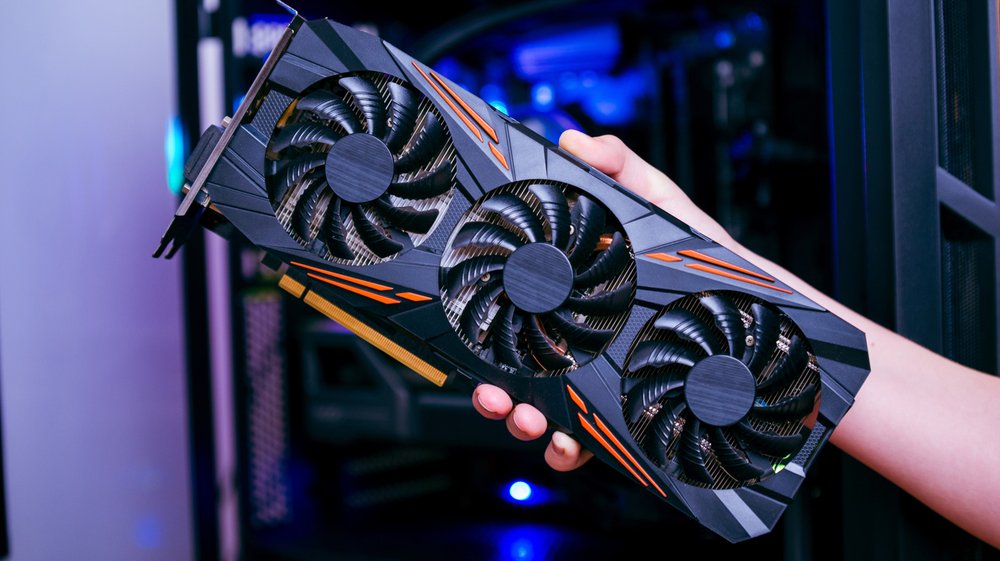
Running a chatbot on your own machine is easier than you might expect. Install Ollama or LM Studio, pick a model, and you can be chatting offline within minutes - no subscription, no internet connection, and no data leaving your PC. The catch is that what you can run, and how fast it responds, comes down to your hardware.
A typical 16GB PC can handle smaller models in the seven-to-eight-billion-parameter range, such as Meta's Llama 3.1 8B or Alibaba's Qwen3 8B, and an 8GB graphics card will run them at a decent clip. These are a long way from the frontier models behind ChatGPT or Claude, though. Getting closer means at least 32GB of memory and a GPU with 16GB or more of VRAM - hardware that doesn't come cheap.
Memory is the main constraint. Most people run compressed, or "quantized," versions that store each parameter in about four bits, shrinking a model to roughly a quarter of its original size. In Ollama's library that puts Llama 3.1 8B at 4.9GB, Microsoft's Phi-4 at 9.1GB, Google's Gemma 3 27B at 17GB, and Meta's Llama 3.3 70B at 43GB. Ollama's rough rule of thumb - 8GB of RAM for a 7B model, 16GB for 13B, 32GB for 33B - assumes that kind of quantization.
OpenAI's gpt-oss-20b is a special case: a mixture-of-experts design with 21 billion total parameters that activates only about 3.6 billion for each token, which keeps it fast. It still has to fit in memory, though. OpenAI says it runs with just 16GB, but at 14GB in Ollama it would consume nearly all of a 16GB machine.
Speed depends more on memory bandwidth than raw processing power, since every token generated requires reading through the model's parameters - a stage Nvidia's engineers call "memory-bound." VRAM is several times faster than system RAM, which is why a model that fits on your GPU runs far quicker than one spilling into main memory. As a rough guide, anything above roughly five to 10 tokens per second keeps pace with most people's reading. In LMSYS testing, Nvidia's RTX 5090 generated text from gpt-oss-20b at 205 tokens per second, while llama.cpp benchmarks put Apple's base M4 at about 24 tokens per second on a 7B model. Ollama measured Nvidia's $3,999 DGX Spark developer PC at 38 tokens per second on Llama 3.1 8B - a modest result for the price - but just 4.42 on the 70B version.
One reporter ran Mistral 7B on a 2024 Asus Zenbook Duo with 32GB of RAM and an Intel AI Boost NPU. Through Ollama, CPU use hit 52 percent and memory use about 17GB - manageable alone, but a drag if anything else demanding was running. Using Intel's OpenVINO toolkit instead kept the NPU at 98 percent and the CPU at three percent, and the laptop stayed responsive while producing 2,500 words in about three minutes.
So a 16GB PC is fine for the occasional private summary or some offline coding help. For something you'd genuinely use instead of a cloud chatbot, you'll want 32GB of RAM or a 16GB graphics card - and a 32GB DDR5 kit alone costs $434 by Tom's Hardware's RAM price index, nearly two years of a $20-a-month ChatGPT Plus or Claude Pro subscription. Anything approaching frontier capability remains a job for a data center.
Source: Engadget
Ready to Modernize Your Business?
Get your AI automation roadmap in minutes, not months.
Analyze Your Workflows →