Connecting SharePoint or Google Drive to a Private RAG
Most company documents already live in SharePoint or Google Drive. This explains how a local RAG server reads them through the official APIs, which permissions to grant, and what ends up stored where.
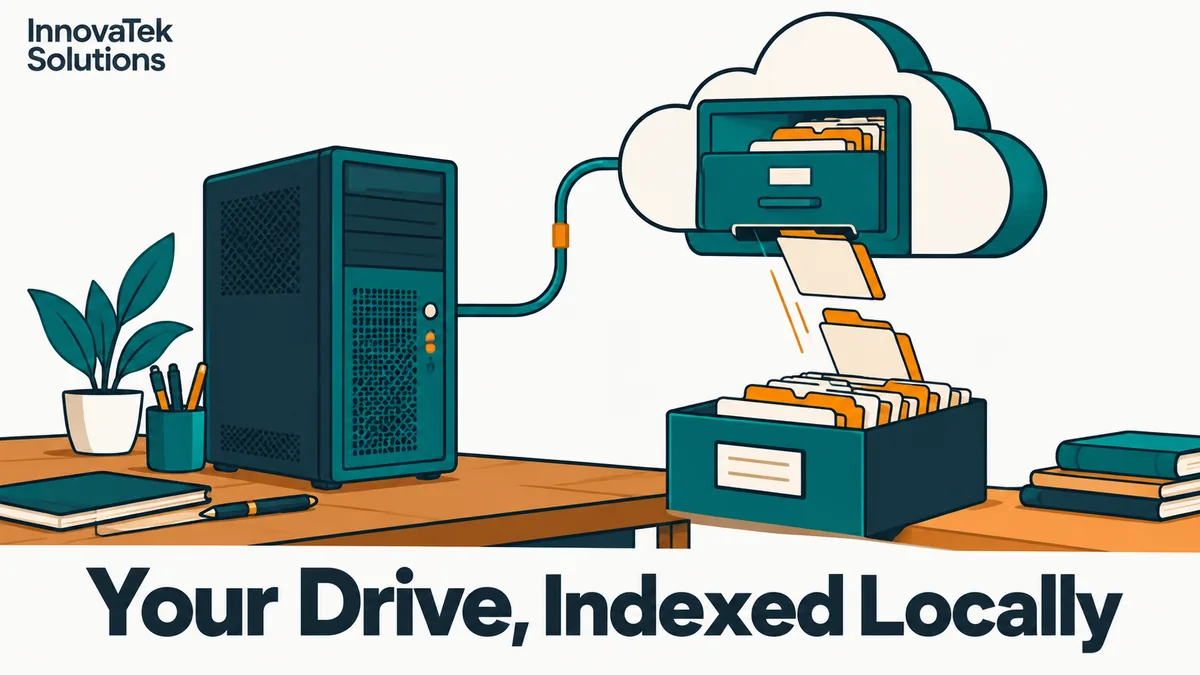
A connector that reads six SharePoint document libraries and checks each one for changes every 10 minutes makes 6 x 6 x 24 = 864 small API calls a day, plus one download per changed file. That is the whole traffic pattern of a well-built RAG connector for SharePoint or Google Drive: outbound HTTPS from the local server to Microsoft or Google, a short list of changed items, and a fetch of only those files. The model, the index and every question staff ask stay on the local machine.
The hard parts are which identity the connector runs as, how narrow its access can be, and what gets copied to local disk. How ingested files become chunks, vectors and cited answers is in the overview of private RAG over internal documents.
What stays in the cloud and what gets copied locally
Connecting a private RAG to a cloud drive does not move documents out of the cloud. The originals stay where they are, under existing retention and sharing rules. What changes is that a second, derived copy now exists on hardware the company controls.
| Item | Where it lives | Notes |
|---|---|---|
| Original files | Cloud tenant | Unchanged; the connector only reads |
| Downloaded file, during processing | Local server | Can be deleted once text is extracted |
| Extracted text and chunks | Local server | Needed to show citations and quotes |
| Embeddings | Local server | Derived from the text, treat as equally sensitive |
| Access lists per document | Local server | Copied from the source, must be refreshed |
| Sync state (delta links, page tokens) | Local server | Small, but losing it forces a full re-crawl |
| Questions, answers, chat logs | Local server | Never sent to Microsoft or Google |
The local index now holds sensitive content and needs the same protection as the share it mirrors: disk encryption, backups, restricted admin access. In return, the cloud provider never sees what staff ask, which is the practical side of data sovereignty for AI workloads.
SharePoint and OneDrive through Microsoft Graph
SharePoint libraries and OneDrive for Business are both drives in Microsoft Graph, so one connector handles both.
App registration and the narrowest permission
The connector is registered as an application in Microsoft Entra ID and authenticates as itself. The easy route is the Files.Read.All or Sites.Read.All application permission. Either one, once an admin consents, lets the app read every file in every site in the tenant, including HR and finance sites nobody meant to index.
The narrower route is the Selected family of permissions. Per Microsoft's overview of Selected permissions, Sites.Selected limits an app to specific site collections, and newer scopes (Lists.SelectedOperations.Selected, Files.SelectedOperations.Selected) go down to a single list, folder or file. An app consented for a Selected scope starts with no access at all. Access requires three things together: admin consent for the scope, an explicit grant on the resource (for a site, a POST /sites/{siteId}/permissions call naming the app and a role such as read), and a token carrying the scope. Revoking either the grant or the consent cuts access.
The catch is who can make that grant. Granting at site level requires Sites.FullControl.All, so it is done once by an admin tool or script, never by the connector itself. The connector should hold Sites.Selected with the read role and nothing else.
Reading files and tracking changes
The workhorse is the delta query, GET /drives/{drive-id}/root/delta. The first call enumerates the whole drive in pages; the last page returns an @odata.deltaLink. Saving that link and calling it later returns only what changed since. Deleted items come back with a deleted facet, which is the signal to remove their chunks from the index. Microsoft's delta documentation adds three details:
- Track items by ID, not path. Renaming a folder does not return its children, and paths are not included in delta results.
- The feed shows the latest state of each item, not every edit, and the same item can appear twice; use the last occurrence.
- An old token can be rejected with
HTTP 410 Gone, which means a full re-enumeration and a comparison against the local state.
File content is fetched per changed item. Graph can also convert some files on the way out (/content?format=pdf for Office documents), but the conversion endpoint is limited to files of 2 MB, so most connectors download the original and parse it locally.
Permissions travel separately
Delta results can carry sharing information, and the Prefer: deltashowsharingchanges header flags items that appear because their permissions changed. Microsoft's documentation notes that processing permissions this way requires Sites.FullControl.All. That collides with the least-privilege setup above. The choice is a broader permission for accurate access lists, or a narrow read permission and indexing only libraries every user of the index can already read. How the copied access lists are enforced at question time is covered in permission-aware RAG.
Google Drive and shared drives
Identity and scopes
A Google connector usually runs as a service account. Google's scope guide is blunt about the options. drive.readonly, which reads all files, is classified as restricted. So is drive.metadata.readonly, despite the narrow-sounding name. The non-sensitive drive.file scope only covers files a user opens with the app or picks through a file picker, which does not suit a background crawler.
There are two ways to give the service account something to read:
- Add it to specific shared drives as a member with read-only access. It then sees those drives and nothing else. This is the least-privilege option and fits teams that keep reference documents in a few shared drives.
- Domain-wide delegation, where a super administrator authorizes the service account's client ID and scopes in the Admin console. Google's own help page warns that with delegation "the app has access to the data belonging to all of your users." Use it only when content really is scattered across personal drives.
Change tracking and exports
The change feed works much like Graph delta. changes.getStartPageToken returns a starting point; changes.list returns entries oldest first, with a nextPageToken while more pages remain and a newStartPageToken to store for the next run. For shared drives the request needs supportsAllDrives and either driveId or includeItemsFromAllDrives, and includeRemoved reports items that were deleted or that the connector lost access to. Both cases mean the same thing for the index: drop the chunks.
Downloads split by file type, per Google's download guide:
- Ordinary files (PDF, DOCX, images) come down with
files.getandalt=media. - Google Docs, Sheets and Slides have no file to download. They are exported with
files.exportto a chosen format, such as plain text or DOCX for a Doc, and exported content is limited to 10 MB. - Owners can restrict downloads, so check
capabilities.canDownloadbefore fetching and log the refusals instead of retrying them forever.
Push notifications versus polling
Both platforms can call the connector when something changes, and both require that call to reach a public HTTPS address.
| Microsoft Graph | Google Drive | |
|---|---|---|
| Endpoint requirement | HTTPS notificationUrl |
HTTPS with a valid, trusted certificate |
| Maximum subscription life | 42,300 minutes for driveItem, under 30 days | 1 day for a file, 1 week for the change feed |
| Notification content | A signal to call delta | Empty body, no file metadata |
| Stated latency | Under 1 minute average, up to 6 hours | Not stated |
Figures are from Microsoft's subscription reference and Google's push guide, read in October 2026. Either way the connector still calls the change feed, and must renew subscriptions before they expire.
For a private server this is a real trade-off. Webhooks mean exposing an inbound endpoint from a machine whose whole point is that it is not reachable from the internet. Polling needs only outbound connections. With a 10-minute polling interval, the worst case is a document edited just after a poll and asked about just before the next one: about 10 minutes of staleness. Graph's own notification path can lag up to 6 hours at worst, so for most document collections polling every 5 to 15 minutes is both simpler and comparable in freshness. Webhooks earn their keep only when edits must appear within seconds and someone will run and secure a public relay.
File types worth indexing
Filter by type before downloading:
- Index: PDF, DOCX, PPTX, XLSX, Google Docs and Slides exports, Markdown, plain text, email files saved to the drive.
- Index with care: spreadsheets. Large ones are mostly numbers that retrieve badly as text; a few summary tabs often matter more than raw data.
- Route to OCR: scanned PDFs and photos of paper, which carry no text layer.
- Skip: video, audio, archives, installers and anything over a size cap, logged for later review.
Size the first sync before running it. A library of 40,000 files averaging 1.5 MB is 40,000 x 1.5 = 60,000 MB, about 60 GB, to pull down once. On a 100 Mbit/s line, roughly 12.5 MB/s, that is 60,000 / 12.5 = 4,800 seconds, about 80 minutes of transfer in theory. API throttling stretches that, so run the first crawl overnight and let the change feed handle the rest. Keeping that index correct as files are edited, moved and deleted is its own discipline, covered in keeping a RAG index in sync.
Frequently asked questions
Does indexing SharePoint locally change what Microsoft can see?
No. The files stay in the tenant exactly as before, and the connector only reads them. What the local setup prevents is a second exposure: questions, retrieved passages and generated answers never go to a cloud model, so the content of what staff search for stays on the local server.
Can a delegated sign-in replace the app-only connector?
Delegated access runs as a signed-in user and can never exceed that user's rights, which Microsoft describes as lower risk. It suits a personal assistant over one person's files. A shared index for a whole team needs a stable identity that works when nobody is logged in, which is why background connectors normally use application permissions with the Selected scopes.
What should the index do when the connector loses access to a source?
Treat it as a removal, not a network blip. If an admin revokes a site grant or takes the service account off a shared drive, the chunks already copied from that source are still answerable locally until something deletes them. A safe rule is to alert on repeated access-denied errors for a source and purge its chunks once the loss is confirmed.
Is a Google service account's key file a risk on the server?
Yes, it is a long-lived credential that grants whatever the account can read. Restrict its file permissions to the connector's service user and rotate it on a schedule. If it leaks, delete the key in Google Cloud and remove the account from its shared drives.
Ready to Modernize Your Business?
Get your AI automation roadmap in minutes, not months.
Analyze Your Workflows →