On-Premise Image Recognition: How a Local Pipeline Works
A local image recognition system is five stages, not one model. Here is what each stage does, where errors creep in, and how a confidence threshold decides what a person checks.
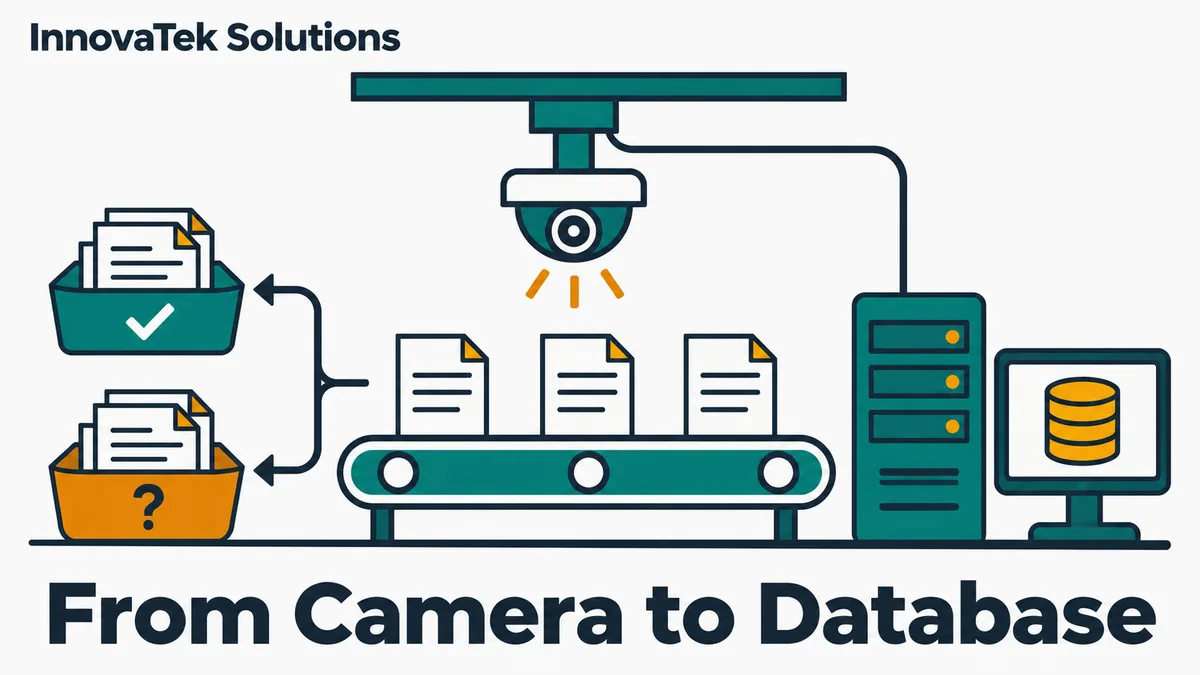
Take a warehouse that photographs 2,000 incoming parcels a day and wants each photo turned into a row: parcel ID, damage yes or no, label readable or not. On-premise image recognition means every one of those photos is processed on a machine the business owns, and the result lands in its own database. The model is the part everyone talks about, but it is one stage of five. The other four, intake, preprocessing, the confidence threshold and the review queue, decide whether the rows can be trusted.
Stage 1: Intake, from a camera or a folder
Images arrive in one of two ways.
- Upload folder or file share. Staff, a scanner or another system drops files into a watched directory, and a small worker moves each new file to a processing area and records that it has started. This suits phone photos of damage claims or catalog product shots.
- Camera. A fixed camera produces a continuous stream, and the pipeline decides which frames to keep. Usually that means a trigger: a light gate on a conveyor, a motion threshold, or one frame every few seconds. Continuous video is a different sizing problem, covered in the article on on-premise video analytics.
Two habits prevent later confusion. Give every image a stable ID on arrival, a hash of the file contents works well, so a duplicate upload is recognized instead of counted twice. And keep the original untouched, so a bad preprocessing step can be fixed and re-run later.
Stage 2: Preprocessing, the quiet source of wrong answers
A model expects images in exactly the shape it was trained on. Feed it anything else and it still returns a confident answer, just a worse one. Preprocessing is the code that makes every image look like the training data.
Orientation and color
Phone photos often store rotation as a metadata flag rather than rotating the pixels. A viewer on a laptop shows the picture upright, while the model receives it sideways. In Python, Pillow's ImageOps.exif_transpose reads the EXIF orientation tag and rotates the image to match, according to its documentation. Color order matters too: OpenCV loads images as BGR, most training code assumes RGB, and swapping the two silently shifts every prediction.
Size and normalization
Each published model documents its own expected input. For example, the torchvision page for ResNet-50 with its IMAGENET1K_V2 weights lists a resize to 232 pixels, a center crop to 224, pixel values scaled to 0-1, then normalization with mean [0.485, 0.456, 0.406] and standard deviation [0.229, 0.224, 0.225]. A center crop also throws away the edges of the frame. If the defect sits in a corner of the photo, the model never sees it.
The practical rule: copy the preprocessing from the model's own documentation or training code, then test it. Push ten known images through the pipeline and confirm the scores match what the training notebook produced for the same files. A mismatch here looks exactly like a weak model.
Stage 3: The model, matched to the question
"Image recognition" covers several different tasks, and the right model type follows from what the database row needs to hold.
| Question the row answers | Task type | Output |
|---|---|---|
| What is in this photo? (one label) | Classification | A label and a score per class |
| Where are the items, and how many? | Object detection | Boxes, labels and a score per box |
| Which exact pixels are damaged? | Segmentation | A mask per object or region |
| Describe this image, or read its label | Vision-language model | Free text, or JSON if prompted |
Classifiers and detectors are small by current standards and run comfortably on a single workstation GPU, often on a CPU for low volumes. Vision-language models answer open questions without training, which makes them a fast way to prototype, but they cost more memory per image and their text output needs checking. The article on local vision-language models covers where they work and where they fail.
For deployment, many teams export a trained model to ONNX and run it with ONNX Runtime, which can hand the work to different hardware backends. Its execution provider list includes the default CPU provider, NVIDIA CUDA and TensorRT, Intel OpenVINO and Apple CoreML, so the same model file can move from a test laptop to a GPU server. License is a separate check: one popular detector family is published under AGPL-3.0, and what that means for a business is the subject of YOLO licensing for commercial use.
Stage 4: The confidence threshold
Every prediction comes with a score between 0 and 1. The threshold is the line that splits predictions into "write it to the database" and "ask a person", a business decision expressed as a number.
Defaults are not tuned to your task. For its predict mode, Ultralytics documents a default conf of 0.25, the minimum confidence below which detections are disregarded. That suits a demo video, not a policy for flagging damaged parcels.
The score is also not a probability you can take at face value. Research by Guo and colleagues in 2017, On Calibration of Modern Neural Networks, found that modern networks are poorly calibrated and tend to be overconfident, so a prediction scored 0.95 can be right noticeably less often than 95 percent of the time. The same paper found that a simple fix called temperature scaling works well on most of the datasets it tested. Either way, the threshold has to be set from measured results on your own images, not from what the number sounds like.
Setting it with arithmetic
Back to the warehouse with 2,000 photos a day. Run a few hundred labeled photos through the model, then try candidate thresholds and count two things: how many images clear the bar, and how many of those were wrong. Suppose the test shows:
| Threshold | Share auto-accepted | Error rate among accepted | Auto rows per day | Wrong rows per day | Images to review |
|---|---|---|---|---|---|
| 0.80 | 92% | 3.0% | 1,840 | 55 | 160 |
| 0.90 | 85% | 1.0% | 1,700 | 17 | 300 |
| 0.97 | 60% | 0.2% | 1,200 | 2 | 800 |
The figures are illustrative. Each row is simple multiplication: 2,000 x 0.85 = 1,700 accepted, 1,700 x 0.01 = 17 wrong, and 2,000 - 1,700 = 300 sent to review. If a person needs about 10 seconds per image, 300 images is 3,000 seconds, or 50 minutes of work a day. At 0.97 the review load becomes 800 images, about 2 hours and 13 minutes.
The right row depends on what a wrong row costs. If a missed damaged parcel means a refused insurance claim, 55 errors a day is unacceptable and 2 hours of review is cheap. If the label only sorts photos into folders, the 0.80 row may be fine. Some pipelines use two thresholds: above the high one, accept; below the low one, reject or discard; in between, review.
Stage 5: The review queue
The review queue is a list of images the model was unsure about, shown to a person with the model's guess, so they can confirm or correct it with one click.
A usable queue has a few properties:
- The image and the guess side by side, with boxes drawn for detections, so the reviewer is checking rather than starting from nothing.
- Fast keys for accept, change label and skip. At hundreds of images a day, a dropdown menu per image adds up.
- A random sample of auto-accepted images mixed in, perhaps 1 in 50, without telling the reviewer which ones they are. This is the only ongoing measurement of the error rate among images nobody looked at.
- Corrections saved as training data. Every corrected image is a labeled example of exactly the case the model finds hard. The article on self-hosted image labeling covers tools and labeling guidelines for turning them into a training set.
When reviewers start overruling the model more often, something changed upstream: new packaging, a moved camera, a different phone.
Storage: what the database row should hold
The final row should let anyone reconstruct the decision later. A workable schema per image:
- the image ID (the content hash) and the path to the untouched original
- the model name and version, and the preprocessing version
- the predicted label or boxes, and the score
- the threshold in force at the time
- the route taken: auto-accepted, reviewed, or rejected
- for reviewed images, the final label, the reviewer and the timestamp
Recording versions matters: if the threshold moves from 0.90 to 0.93 in March, February's rows were decided under different rules, and a report mixing them will mislead.
Image files, not rows, are the storage cost. At an assumed 500 KB per photo, 2,000 photos a day is about 1 GB a day, roughly 365 GB a year. Decide the retention period before launch: keep originals for disputed cases and training, and set a date after which accepted, undisputed images are deleted. Where photos show people or vehicle plates, that retention decision also carries privacy obligations, which differ by jurisdiction.
A sensible first build is the smallest version of all five stages: a watched folder, preprocessing copied from the model's documentation, one off-the-shelf model, a threshold chosen from a 300-image test, and a plain review page. Measure the error rate from the hidden sample for two weeks, then decide whether the model, the threshold or the camera needs to change.
Frequently asked questions
Can on-premise image recognition run without a GPU?
Yes, for classification and small detectors at moderate volume. A modern CPU can process images in a fraction of a second each, which is enough for an upload folder that receives a few thousand files a day. Multiple live camera streams or large vision-language models are where a GPU becomes necessary.
Should a pipeline start with a pretrained model or a custom one?
Start with a pretrained model and measure it on a few hundred of your own labeled images. If its accuracy at a workable threshold is acceptable, there is nothing to train. If it falls short, the review queue is already collecting the corrected examples a custom model needs.
What happens when the camera or lighting changes?
Accuracy usually drops without any error message, because the model still returns scores. Keep a fixed reference set of a few dozen labeled photos from the original setup, then shoot the same items again after a new camera, lamp or mounting position and compare the scores. If they shift, re-run the threshold test on fresh photos before trusting the old setting.
Is it safe to delete images once the row is written?
Only for images that were accepted, are not disputed, and are not needed for retraining. Keep a reviewed and corrected set indefinitely as training and test data, and set a fixed retention period for the rest.
Ready to Modernize Your Business?
Get your AI automation roadmap in minutes, not months.
Analyze Your Workflows →