Meeting Summaries Without Sending Audio to the Cloud
Once a meeting is transcribed locally, a local model can draft the summary too. The hard parts are fitting the transcript in the window, naming the right owners and deciding what to delete.
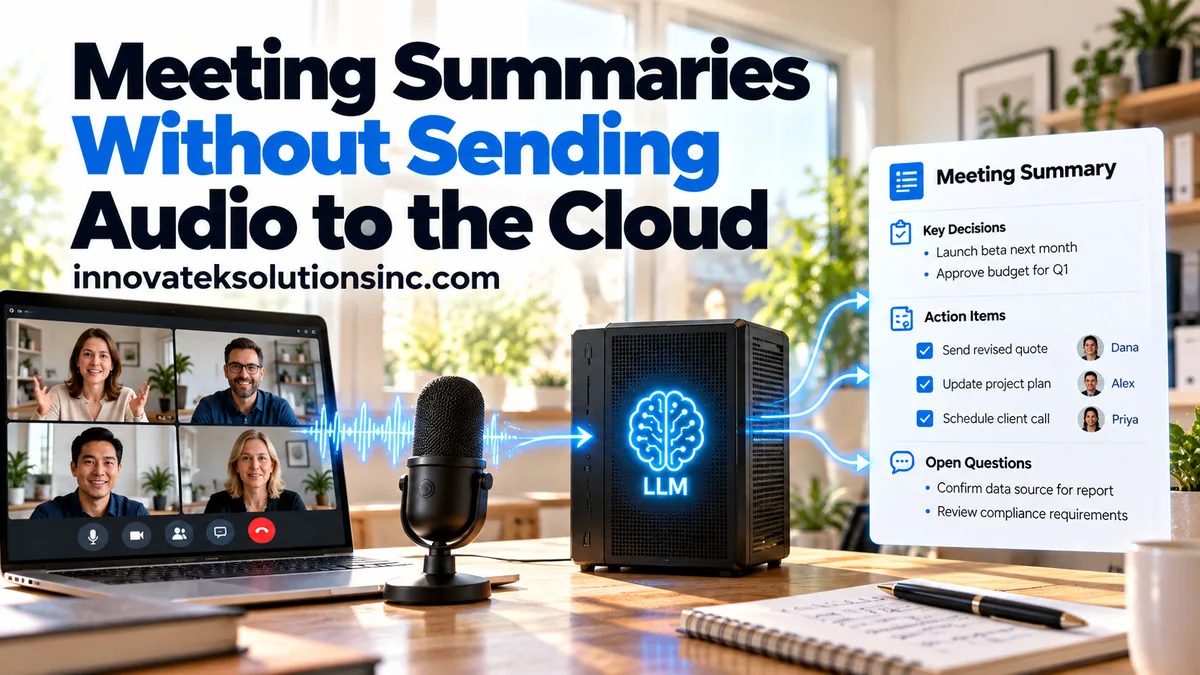
Assume a one-hour meeting at 140 spoken words a minute. That produces about 8,400 words of transcript. At roughly 1.33 tokens per English word, that is about 11,200 tokens before any instructions or output. Ollama, as of October 2026, gives a model a 4,096-token context by default on any GPU with less than 24 GiB of memory, so an untouched setup reads about a third of the meeting and summarizes that third with full confidence. Producing meeting summaries without cloud services is mostly a matter of handling that arithmetic, getting owners right on action items, and deciding how long each file lives.
This article starts once the transcript exists. Speech models, hardware and recording consent are covered in on-premise meeting transcription.
What the summary should leave out
The basic format, decisions, action items with owners, open questions and attendees from the invite, is laid out in the transcription article. The less obvious design question is what to keep out, because a summary travels much further than the audio. The recording sits in one folder; the summary gets emailed, pasted into a ticket and indexed by an internal search tool.
A model asked to "summarize the meeting" treats everything said as material. That includes:
- Asides about people. "Sam has been struggling since the reorg" is a personnel remark, and in a summary it becomes a written record about Sam.
- Health and family details. "I'm out Friday for my mother's surgery" explains a deadline, but the summary only needs "Lee is out Friday".
- Off-the-record stretches. If someone says "this part stays in the room", the transcript still holds it. The summary should not.
Two controls help. The prompt can say plainly: record decisions and tasks, omit personal remarks, health information and anything marked off the record. And the reviewer's checklist can include one line, "anything here the attendees would not want forwarded?", since the instruction will sometimes be missed. A narrow summary is also the safest document to keep long term.
Fitting a long transcript into the window
There are two workable designs, and the choice depends on GPU memory and on how long meetings run.
One pass with a raised context
Budget the window from the parts that must fit:
| Part | Tokens |
|---|---|
| Transcript, one hour | about 11,200 |
| Instructions and output format | about 800 |
| Output (summary and action items) | about 1,500 |
| Total | about 13,500 |
A 16,384-token context covers that with some margin. In Ollama it is set with OLLAMA_CONTEXT_LENGTH on the server or num_ctx per request; after loading, ollama ps shows the allocated context in its CONTEXT column. The memory cost of a larger window, and why long inputs read worse in the middle, are explained in how context windows limit local models. One pass keeps cross-references intact, such as a decision at minute 50 that reverses one from minute 10.
A two-hour board meeting doubles the transcript to about 22,400 tokens and pushes the total near 25,000. On a smaller card, that is where the second design takes over.
Segments plus a merge
Split the transcript into segments of about 3,000 tokens. The one-hour meeting becomes 11,200 / 3,000 = 3.7, so four segments, plus one merge call: five model calls in place of one.
How the cut is made decides most of the quality:
- Cut at speaker turns, never mid-sentence. A transcript with timestamps and speaker labels has natural break points. Cutting by character count can split "Dana will send the contract" from "by Thursday".
- Overlap by a few turns. Repeat the last three or four speaker turns of each segment at the start of the next, so a commitment that spans the boundary appears whole in at least one segment.
- Carry a short running state. Pass each segment call the list of open action items found so far. The model can then mark "that's done, I sent it" in segment three as closing an item from segment one, which a fully independent segment cannot see.
- Make the merge mechanical where possible. Deduplicate action items in code by owner plus a normalized task, keep the later of two conflicting decisions, and only then ask the model for the short narrative overview.
Running summaries as a background batch job, with retries and idempotent writes, is covered in building a batch LLM pipeline.
Action items with owners
An action item without an owner is a wish. Owners are where local models make their most visible mistakes, because the owner usually is not named in the sentence. "I can take that" names nobody; the owner is whoever spoke it.
Ask for a schema, then check it in code
Recent local runtimes can constrain output to a JSON schema. In Ollama the schema goes in the format field of the request, and the documentation suggests lowering the temperature, for example to 0, for more deterministic output. A schema for one action item might look like this:
{
  "task": "Send revised quote to the client",
  "owner": "Dana Ruiz",
  "owner_basis": "self",
  "due_text": "by Thursday",
  "due_date": "2026-10-22",
  "quote": "Okay, I'll get the revised quote over by Thursday.",
  "timestamp": "00:41:12"
}
The model fills fields; code decides whether to trust them:
- The quote must exist. Search for it in the transcript segment, allowing for whitespace differences. If it is not there, the item goes to review.
- The owner must be on the attendee list. A name the model produced that nobody on the invite carries is an error, not a new colleague.
- Relative dates resolve against the meeting date. Put the meeting date in the prompt, and keep
due_textnext todue_dateso the reviewer sees "by Thursday" and can confirm which Thursday. If a meeting on Tuesday 20 October says "by Thursday", the model should return 22 October, and the code can check that the weekday matches. owner_basissays why. "self" when the speaker committed in the first person, "assigned" when another speaker named them ("Priya, can you check the lease?") and they did not decline, and "unassigned" otherwise. A collective "we should look into that" stays unassigned. Forcing an owner onto it makes the list look complete and makes it wrong.
The detailed mechanics of grammars, schema flags in each runtime and retry on invalid output belong to structured JSON output from local models.
Where speaker attribution breaks
Every "self" owner depends on the speaker label being right, so diarization errors pass straight into the action list. If two speakers with similar voices are merged into one label, every commitment from either person lands on whichever name that label was mapped to.
The failure cases are predictable:
- One microphone in a large room. Distant and quiet speakers are labeled less reliably than people near the device.
- Overlapping speech. "Yes, I'll do it" said over someone else is the turn most likely to be attributed to the wrong person or dropped.
- Short turns. A two-word "I've got it" gives the diarization model very little audio to match.
- Label mapping. Turning
SPEAKER_00into a name is a separate step, and one mapping mistake moves every item from one person to another at once.
Separate audio per person removes most of this. When each participant is on their own channel, the channel is the speaker. Zoom's desktop client, for instance, has a local recording setting, "Record a separate audio file for each participant", that saves one audio file per participant, with each file name starting with the participant's name. Transcribing each file and merging by timestamp gives named speakers without a diarization model.
With only a room recording, two habits help more than a better model: flag any owner taken from a short or overlapping turn as low confidence, and send each person their own action items to confirm rather than circulating the list as fact.
Consent, retention and the files left behind
Whether a meeting may be recorded at all is a legal question covered in the transcription article. Once it has been recorded, the summary workflow creates at least three artifacts, and each deserves its own retention rule:
| Artifact | Size and sensitivity | Typical reason to keep it |
|---|---|---|
| Audio | Large, holds tone and every aside | Settling a dispute about what was said |
| Transcript | Smaller, full text of everything said | Searching, checking the summary |
| Approved summary | Short, decisions and tasks only | The record of the meeting |
A common pattern is to delete audio once the summary is approved or after a short window, keep the transcript somewhat longer, and keep the approved summary as long as other business records of that type. The exact periods are a policy decision for each organization. Under the EU GDPR, Article 5(1)(e) requires that personal data be "kept in a form which permits identification of data subjects for no longer than is necessary", which argues against keeping raw audio by default.
Deletion has an exception. In the US, Federal Rule of Civil Procedure 37(e) addresses electronically stored information "that should have been preserved in the anticipation or conduct of litigation" and is lost. A scheduled deletion job therefore needs a way to exempt specific meetings when a legal hold applies. This is general information, not legal advice.
Local processing also leaves copies in places a retention policy can miss:
- temporary audio and segment files written by the transcription and summary jobs
- the model server's logs, if prompts or responses are logged
- the queue or database row that held each segment's output
- backups of all of the above
List these before the first meeting goes through the system, and have the deletion job clear them along with the audio.
A reasonable rollout: summarize five recent meetings whose minutes were already written by hand, compare decisions and owners item by item, and only switch over when the model's draft needs fewer corrections than writing the minutes from scratch would have taken.
Frequently asked questions
How big a model does meeting summarization need?
Summaries and action items are extraction tasks, not open reasoning, so mid-sized models often do well when the transcript fits cleanly in the window. The deciding test is owners and conditional decisions on your own meetings, since that is where smaller models slip. Compare two sizes on the same five transcripts before buying hardware for the larger one.
Can the summary run while the meeting is still going?
It can, segment by segment, but later discussion often reverses earlier points that a live summary has already reported. An end-of-day queue gives better drafts for most offices.
Should staff be told that summaries are produced by AI?
Yes. Attendees should know the summary is a machine draft checked by a named person, so they read their own action items critically instead of assuming they were captured correctly. Marking each summary with who reviewed it and when also makes the approved version easy to tell apart from drafts.
Ready to Modernize Your Business?
Get your AI automation roadmap in minutes, not months.
Analyze Your Workflows →