Function Calling With Local Models
A local model never runs your functions. It writes a request to call one, your code checks and runs it, and the result goes back. Here is that loop, which servers support it, and where it breaks.
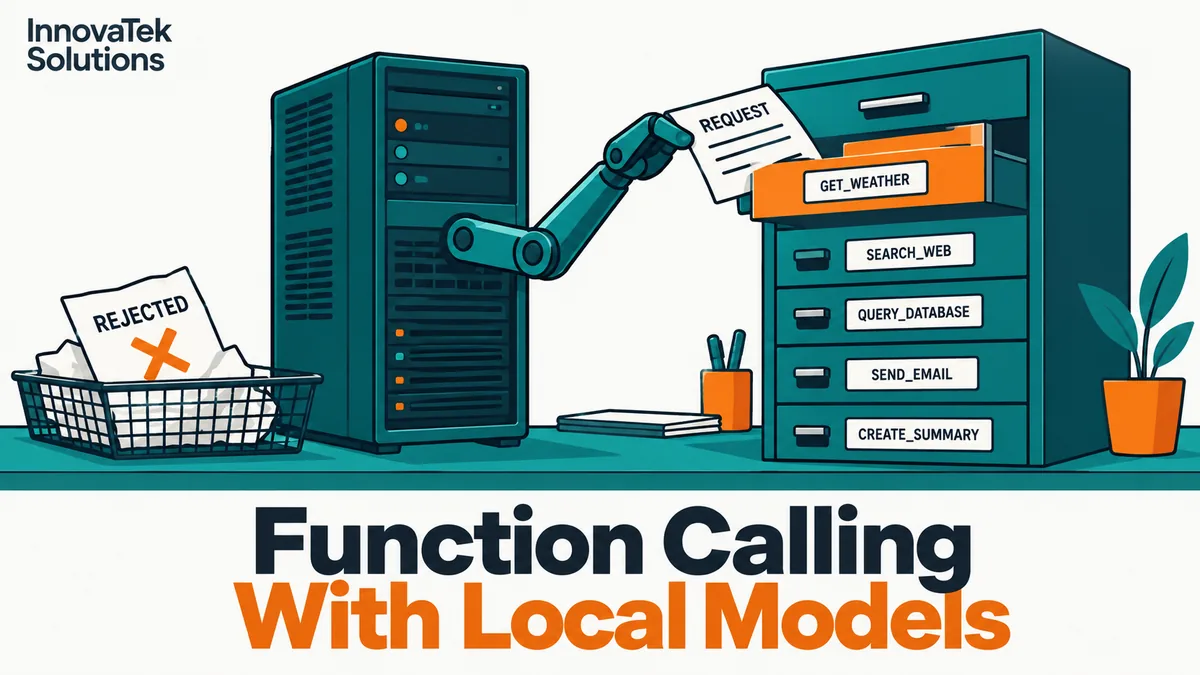
A model asked "Has order 48213 shipped?" cannot look anything up. With function calling, it does the next best thing: instead of an answer, it returns a small structured message saying "call get_order_status with order_id = 48213". Your program runs that function against the real order system, hands the result back, and the model writes the reply. Function calling with a local LLM works exactly the same way as with a cloud model. The model only ever produces text in a known shape. Every action is taken by code you wrote, on your server, under your rules.
The four steps of one tool call
1. Describe the tools
Each request carries a tools array. Every entry is a function name, a plain-language description and a JSON schema for its parameters:
{
  "type": "function",
  "function": {
    "name": "get_order_status",
    "description": "Look up shipping status for one customer order by its numeric ID.",
    "parameters": {
      "type": "object",
      "properties": {
        "order_id": {"type": "integer", "description": "Order number, e.g. 48213"}
      },
      "required": ["order_id"]
    }
  }
}
The model never sees your Python, only this text rendered into its prompt by the server's chat template. The description is the only thing telling it when the function applies.
2. The model returns a call
If the model decides a tool is needed, the assistant message comes back with a tool_calls list instead of (or alongside) normal text. Each entry names the function and its arguments. On OpenAI-style endpoints the arguments arrive as a JSON-encoded string that your code must parse; vLLM's own example does json.loads(call.function.arguments). Ollama's native /api/chat endpoint returns arguments as an already-parsed object.
3. Your code executes it
Your program looks up the function by name, checks the arguments and runs it. Nothing in the model or the server does this for you.
4. Send the result back
The result goes into the conversation as a new message with role tool, and the whole history is sent to the model again. On OpenAI-compatible servers that message carries the tool_call_id of the call it answers. On Ollama's native API it carries tool_name. The model then either writes its final answer or asks for another call.
Repeat steps 2 to 4 until the model replies with no tool calls, and you have the core of an agent. What agents can realistically do on local hardware, and where long chains of calls fall apart, is covered in AI agents on-premise.
Which local servers and models support it
All three common runtimes accept the same tools request shape, which is why code written for a cloud API often runs against them with a changed base URL (the general case is in OpenAI-compatible APIs for local models). The differences are in what you must switch on and how the model's raw text gets turned back into tool_calls.
| Runtime | What to enable | Notes from current docs (October 2026) |
|---|---|---|
| Ollama | Nothing; pass tools to a model that supports them |
Docs examples use qwen3; one response can hold several calls |
| vLLM | --enable-auto-tool-choice plus --tool-call-parser <name> |
The parser must match the model family |
| llama.cpp server | --jinja |
Uses the model's own chat template; some GGUFs need --chat-template-file |
The parser question is the one that catches people. A model does not emit tool_calls objects; it emits text in a format it was trained on, such as JSON inside special tags or Python-like call syntax. The server has to recognize that format and convert it. vLLM's tool calling page lists a parser per family: hermes for Hermes models and Qwen2.5, llama3_json for Llama 3.1 and 3.2, llama4_pythonic for Llama 4, mistral for Mistral, openai for gpt-oss, plus parsers for Granite, DeepSeek, GLM, Qwen3-Coder and others. Pick the wrong one and the call stays buried in ordinary text.
llama.cpp has native handlers for a named set of families, including Llama 3.1 to 3.3, Qwen 2.5, Hermes 2 and 3, Mistral Nemo, Command R7B and gpt-oss. Anything else falls through to a generic handler, which the docs say works but can use more tokens and be less efficient. The server log shows which one is active (Chat format: Generic means the fallback). The same page warns that extreme KV cache quantization, with -ctk q4_0 as the example, can significantly degrade tool calling.
Server support is necessary but not sufficient: send a candidate model twenty real requests with your real tool list and count the clean calls.
Parallel calls
"Compare the status of orders 48213 and 48214" can be answered with two independent calls in one turn. Whether that happens depends on both layers:
- The model. vLLM's docs state that Llama 3 does not support parallel calls, Llama 4 does, Mistral 7B struggles to produce them correctly, and Granite supports them.
- The server. llama.cpp supports parallel calls on some models but has them off by default; the request must set
"parallel_tool_calls": true. Ollama's docs show several calls in one response and say each result goes back as its owntoolmessage.
Parallel calls save round trips. Illustratively: each model turn takes 2 seconds on your hardware, and a question needs five lookups. Sequentially that is 5 turns of calls plus 1 for the answer, 6 x 2 = 12 seconds. In parallel it is 1 turn of calls plus 1 for the answer, 2 x 2 = 4 seconds, plus however long the lookups themselves take. Your executor must then handle a list of calls and match each result to its call ID. On OpenAI's own API, setting parallel_tool_calls to false limits a turn to zero or one call, a useful switch when your tools have side effects.
Validate every argument
A call that parses is not a call that is correct. vLLM's documentation is direct about this: in auto mode, unless strict enforcement is on, calls are extracted from raw text, so arguments may be malformed or violate the schema, and Llama 3 models may serialize arrays as strings. Even when vLLM does constrain the output (for required and named tool choices, or auto with a tool marked strict: true), its docs promise "a validly-parsable function call - not a high-quality one."
So the executor checks, in order:
- The name is in your registry of allowed functions.
- The arguments validate against the same JSON schema you sent, with a library such as
jsonschemaor a Pydantic model. Reject extra keys. - Business rules that a schema cannot express: the order belongs to this user's account, the date is not in the past, the amount is under the approval limit.
- Permissions. The function runs with the rights of the person asking, not with a service account that can see everything.
When a check fails, return the error as the tool result, in words the model can act on: Error: order_id must be an integer, got "48213-A". Ask the user to confirm the order number. Cap the retries at two or three per question so a confused model cannot loop forever.
How constrained decoding works and how to design schemas that models fill accurately is covered in getting reliable JSON out of a local LLM; the same schema habits (enums instead of free text, flat objects, clear field descriptions) make tool arguments more reliable.
When the model invents a tool
Give a model get_order_status and ask it to cancel an order, and a weaker model may return a call to cancel_order, a function that does not exist. It happens most with small models, long tool lists and vague descriptions.
The handling is mechanical:
TOOLS = {"get_order_status": get_order_status, "list_open_tickets": list_open_tickets}

def run_call(name, raw_args):
    fn = TOOLS.get(name)
    if fn is None:
        return f"Error: no tool named {name}. Available tools: {', '.join(TOOLS)}."
    try:
        args = json.loads(raw_args) if isinstance(raw_args, str) else raw_args
    except json.JSONDecodeError:
        return "Error: arguments were not valid JSON."
    # schema and business-rule checks go here
    return fn(**args)
Never resolve an unknown name by guessing the closest match. cancel_order is not close enough to anything safe. Return the list of real tools and let the model either pick one or tell the user it cannot do that.
Prevention helps more than handling:
- Keep the list short. OpenAI's guide suggests fewer than 20 functions at the start of a turn, as a soft suggestion. Smaller local models deserve a tighter list.
- Count the prompt cost. Every tool definition is sent on every turn. Illustratively, 15 tools at about 150 tokens each is 15 x 150 = 2,250 tokens; on a model served with an 8,192-token context, that is 2,250 / 8,192, about 27% of the window gone before the user types anything.
- Write descriptions that exclude. "Look up status only; cannot change or cancel orders" tells the model what the tool is not for.
- Force a choice when you know one is needed. vLLM accepts
tool_choice="required"(version 0.8.3 and later) or a named function, both enforced through structured outputs. Ollama, per its OpenAI compatibility notes, does not honortool_choice, so there the prompt and the tool list carry that weight.
Tools that change things
A wrong call to a tool that sends email, updates records or moves money has consequences. Text the model reads, including a tool's own output, can carry instructions that steer the next call, and running the model locally does not change that. The mitigations are in prompt injection and document-reading AI. At the function-calling level, mark each entry in the registry as read-only or side-effecting. A side-effecting call returns a proposed action with its exact arguments for a person to approve, and only a second, human-triggered step executes it; where the server honors it, turn parallel calls off for those turns so approvals arrive one at a time. Add write tools one at a time.
Frequently asked questions
Does function calling need a special fine-tuned model?
Not a separate one, but you do need a model whose instruct version was trained on tool use, such as recent Qwen, Llama, Mistral or gpt-oss releases. Its chat template should include a tools section. A base model or an older chat model will not produce reliable calls.
How does function calling differ between Ollama's native API and its OpenAI-compatible endpoint?
The request shape is similar, but the details differ. The native /api/chat returns arguments as an object and expects tool results tagged with tool_name, while OpenAI-style clients expect arguments as a JSON string and results tagged with a tool_call_id. Pick one interface per application and do not mix their message formats in the same history.
Can responses that contain tool calls be streamed?
Yes, but the calls may arrive spread across chunks. Ollama's docs say to accumulate the content and tool calls from every chunk, then send the assembled assistant message back with the tool results. Do not execute a call until the stream for that turn has finished.
What model size is enough for reliable tool calls?
There is no universal threshold, and vLLM's docs note that small Llama models often fail to produce the correct format. Test candidates on your actual tools: twenty representative questions, scored for correct tool, correct arguments and correct decision not to call a tool when none applies. The smallest model that passes all three on your set is the one to run.
Ready to Modernize Your Business?
Get your AI automation roadmap in minutes, not months.
Analyze Your Workflows →